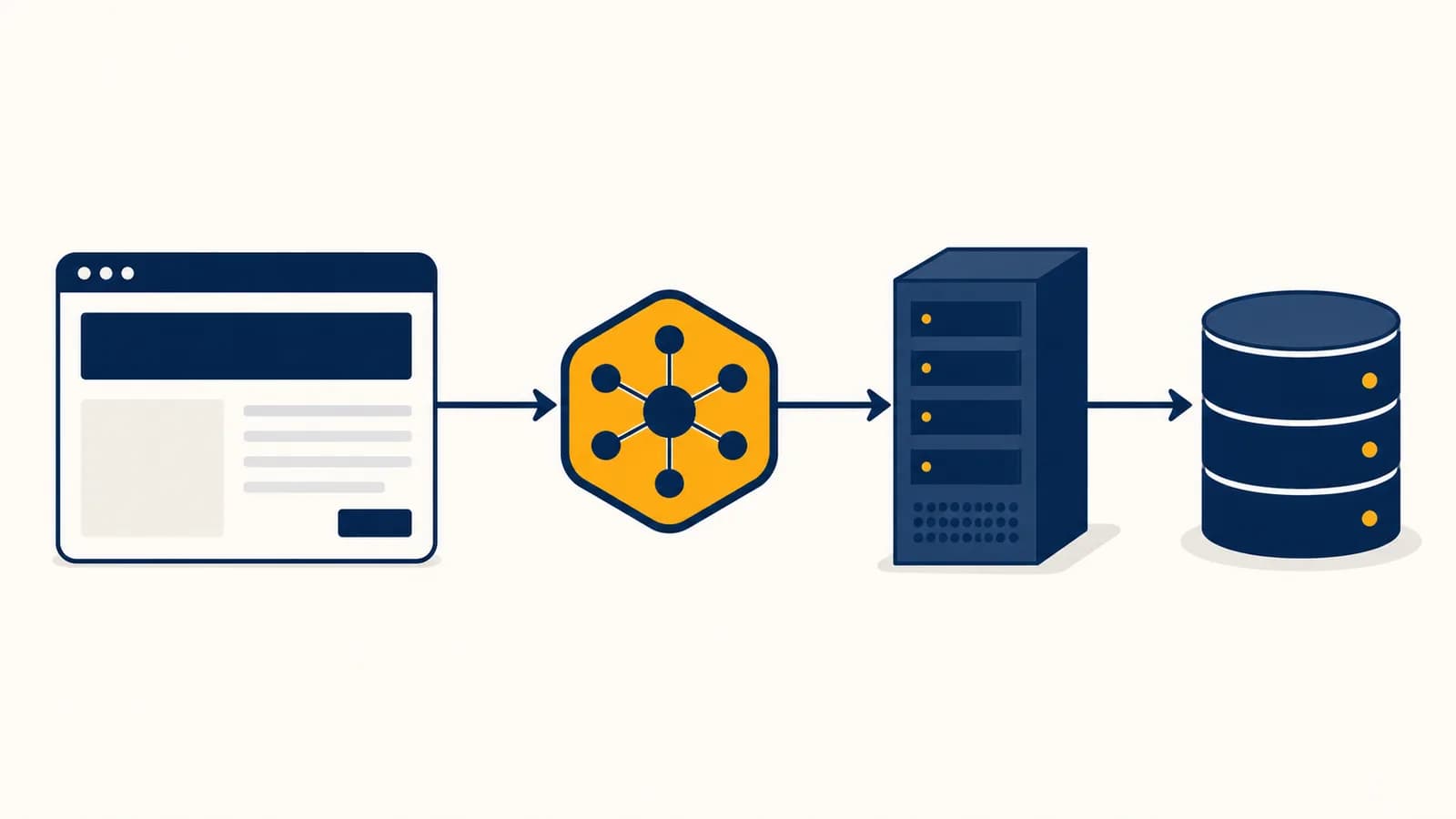
Web development is a branch of computer science that builds and runs websites and web applications, in the context of browsers, servers, networks, and databases. Frontend development controls what appears and responds in the browser. Backend development handles data, rules, accounts, and services on a server. Full-stack development connects both sides. The web exists so one published application can work across many devices through shared standards, without its author shipping a separate program for every operating system.
Open a shop, school portal, map, social feed, or search engine and you meet the same broad system. A browser requests a resource through a network, a server decides what to return, and code on both machines turns stored data into an interactive page. The visible screen is only the final layer.
What web development actually is
Web development is the work of designing, programming, delivering, and maintaining software that people use through web browsers. It combines interface code, server code, data storage, network protocols, security controls, testing, and deployment into one connected system.
A static page can be as small as one HTML file. A web application can include thousands of components, several services, caches, databases, background jobs, and deployment systems. They belong to the same field because the browser and web protocols remain the main route between the person and the software.
Three standard technologies give the browser its basic instructions. HTML describes the content and structure: headings, paragraphs, forms, links, images, and buttons. CSS describes presentation: layout, type, color, spacing, and changes for different screen sizes. JavaScript describes behavior: what happens after a click, how new data arrives, and how the page changes without a full reload.
The server side may use JavaScript, Python, Java, Go, Ruby, PHP, C#, or another language. The choice matters less than the server's duties. It accepts requests, checks permissions, applies business rules, reads or changes data, and returns a response. A database preserves information after a request ends. A deployment platform keeps the application available on machines connected to the internet.
Web development overlaps with design, networking, and operations, but it is not identical to any of them. A designer may decide how checkout should feel. A web developer translates that design into controls, data, and tested behavior. The related field of designing interfaces around real human needs examines those decisions in more depth.
How a web page works from address bar to screen
A web page works by turning a URL into network requests, responses, and rendered pixels. The browser finds the server, establishes a connection, sends an HTTP request, receives bytes, parses the files, builds internal models, and paints the result.
The browser separates a URL such as https://example.com/products/42 into a scheme, host, path, and optional query. HTTPS means HTTP carried through an encrypted TLS connection.
The Domain Name System, or DNS, translates the host name into an IP address. The name is convenient for people; the address tells network equipment where to send packets.
The browser connects to the server, negotiates encryption for HTTPS, and sends an HTTP request containing a method, path, headers, and sometimes a body.
The server routes the request to application code. That code may validate input, read a database, call another service, and produce HTML or data.
The browser parses HTML into a document tree, applies CSS rules, calculates layout, paints pixels, and runs JavaScript. More requests may fetch fonts, images, scripts, or API data.
Consider the URL https://shop.example/products/42. The browser might send GET /products/42. The server looks up product 42 and replies with a status code, headers, and content. A successful response commonly uses HTTP status 200. A missing product commonly uses 404. These standardized codes let browsers, programs, and monitoring tools interpret the outcome.
The browser does not receive a picture of a website. It receives instructions and assets, then constructs the page locally. That is why the same files can respond to screen size, input method, saved state, and live data.
Rendering has an order. HTML becomes the Document Object Model, or DOM. CSS becomes a set of computed styles. The browser combines structure and style to determine geometry, then paints text, backgrounds, borders, and images. JavaScript can change the DOM or CSS after the first paint, which may cause new layout and paint work.
What frontend development actually is
Frontend development is the construction of the part of a web application that runs in a browser and directly serves the user. It turns documents, styles, program state, and input events into an interface that remains usable across devices.
A frontend developer does more than arrange boxes. The browser presents several constraints at once. A page must communicate its structure to assistive technology, adapt to narrow and wide screens, accept keyboard and pointer input, survive slow networks, and show correct state after each action.
HTML gives content meaning
Semantic HTML tells software what an element represents, not only how it should look. A real button can receive keyboard focus and carries button semantics. A clickable generic container does not gain those properties automatically. Headings form an outline, labels identify form fields, and alternative text can describe informative images.
CSS turns rules into layout
CSS matches elements with selectors and applies declarations through a cascade. Rules can depend on viewport width, user preferences, or an element's state. Flexbox is useful for one-dimensional alignment. Grid is useful for rows and columns. Neither requires the developer to calculate every pixel position.
JavaScript manages state and events
JavaScript listens for events such as clicks, keystrokes, and network completions. It updates state, which means the information the interface currently remembers. A shopping cart's items, an open menu, and the text inside a search field are all state. Good code makes the displayed interface a predictable result of that state.
A person selects a shoe size and presses Add to cart. Frontend code verifies that a size was selected, disables the button to prevent duplicate clicks, sends a request, and then shows success or an error. It must also return focus sensibly and announce the change to someone using a screen reader.
Frameworks such as React, Vue, and Angular help developers divide an interface into components and synchronize it with state. They do not replace HTML, CSS, browser APIs, or careful design. A framework is a set of conventions and tools built on top of the platform.
What backend development actually is
Backend development is the construction of server-side software that receives requests, enforces rules, coordinates data, and returns responses. It keeps trusted operations away from the browser, where users can inspect and modify any code sent to their machines.
A server application often begins with a router. The router connects a combination such as POST /orders to a particular function. That function parses input, checks identity and permission, validates values, performs the requested operation, and creates a response.
Suppose an online shop receives an order for two items. The backend must not trust a price copied from the page. A person could edit that value before sending the request. The server loads the current prices from its own trusted data, checks inventory, computes the total, records the order, and starts payment through a payment provider.
If two notebooks cost $4 each and three pens cost $2 each, then dollars.
Databases organize persistent records. A relational database might have tables for users, products, orders, and order items, connected by identifiers. A document database might store related fields together in document-shaped records. The useful question is not which category is fashionable. It is which structure supports the application's queries, consistency rules, and expected changes.
Backends also run work that should not hold an open browser request. A job queue can schedule an email, resize an uploaded image, or produce a report. A worker takes a job, attempts it, and records success or failure. Retries require care because the same job may run more than once. Safe systems make repeated processing harmless where possible.
Frontend versus backend versus full-stack development
Frontend code runs mainly in the browser, backend code runs on controlled servers, and full-stack work crosses the boundary between them. The categories describe responsibility and execution location, not ranks, and real products need the parts to agree on shared contracts.
Present information, collect input, manage browser state, support accessibility, and communicate with server APIs. Assume any value sent by the browser can be altered.
Protect trusted operations, enforce permissions, maintain stored data, coordinate services, and return clear responses. Assume requests can arrive late, twice, or in an invalid form.
A full-stack developer can trace a feature through both sides. For a profile photo upload, that includes the file control and preview in the browser, the HTTP upload, server validation, object storage, database reference, and final image delivery. Full-stack does not mean one person has equal mastery of every browser, database, network, and deployment system.
| Question | Frontend answer | Backend answer |
|---|---|---|
| Where does it run? | Usually in the user's browser | On servers controlled by the service operator |
| What can it trust? | Very little, because users control the browser | Validated data and protected server configuration |
| What failure is visible? | Broken layout, unclear state, frozen controls | Rejected requests, wrong data, unavailable services |
| What is a shared concern? | Correctness, performance, security, testing, accessibility, and understandable code | |
The boundary is an API, which is a defined way for programs to communicate. An endpoint might promise that GET /api/products/42 returns a JSON object with an identifier, name, and price. Frontend code depends on that shape. Backend code promises to supply it or return a documented error. Changing the contract without coordination breaks the feature even if both codebases work separately.
Large products often divide backend work into several services. Small products may keep routes, templates, and data access in one application. Neither structure automatically produces better software. The discipline described in taking software from a prototype into dependable production becomes more important as contributors and failure paths multiply.
How data, state, and APIs connect the layers
Data connects a web application's layers through explicit representations and rules. The browser holds temporary interface state, APIs move selected data across the network, and databases preserve records, while identifiers and validation keep each representation tied to the same underlying facts.
Imagine a task list. The browser might hold an array of visible tasks and a Boolean value for whether a save is in progress. The API might represent a task as JSON: an identifier, text, completion state, and update time. The database might store equivalent values in typed columns.
The user checks task 17. The browser immediately changes its local display, then sends PATCH /tasks/17 with a completion value. The server verifies that task 17 belongs to that account, validates the value, updates the row, and returns the saved record. If the request fails, the interface must show that the optimistic change was not stored.
This example exposes two kinds of state. Client state exists for the current interface, such as which dialog is open. Server state represents shared or persistent facts, such as whether task 17 is complete. Copying server state into a browser creates a cache, and caches can become stale. Applications need a rule for refreshing, invalidating, or reconciling copies.
Authentication identifies an account
After sign-in, a server can create a session identifier and send it in a cookie. The browser returns the cookie on later requests under rules set by the server. The server uses the identifier to load the session. The cookie should contain no magic proof that the request itself is harmless.
Authorization checks each action
Authentication answers who is making a request. Authorization answers what that identity may do. Knowing that a request comes from account 8 does not prove account 8 may edit task 17. The server must check ownership or another permission rule for the requested resource.
Hiding a button is not access control. A user can send an HTTP request without using the visible interface. Permission checks belong on the server for every protected operation.
Validation also belongs on both sides for different reasons. Browser validation gives fast, helpful feedback. Server validation protects the system. The server should reject missing required values, impossible types, excessive lengths, and values that violate business rules. It should return errors specific enough for the frontend to guide the person without exposing private implementation details.
How web development shows up in real work
Web development shows up wherever an organization must publish information, collect decisions, coordinate records, or deliver software through a browser. The work includes public sites, internal tools, commerce, education, media, government services, dashboards, and device control panels.
A newsroom publishes under time pressure
A reporter enters text and images into a content management system. Editors review changes, publication rules control release time, and templates produce pages that work on many screens. Caches help repeated requests return quickly. Corrections must propagate without leaving old versions in the wrong places.
A clinic protects appointment data
A booking interface must make available times understandable and prevent two people from taking the same slot. The server treats the reservation as a controlled transaction, not a hopeful sequence of independent changes. Logs record significant actions, and authorization limits which staff members can view or modify sensitive records.
A warehouse turns scans into decisions
A worker scans a package using a browser on a handheld device. The frontend gives immediate feedback. The backend checks the package's expected location, records the event, and may notify another system. Poor connectivity changes the design: the interface may need to queue work locally and synchronize it later without duplicating events.
A public service must include more people
A tax form or benefit application cannot assume fast hardware, perfect vision, a mouse, or confident technical knowledge. Semantic controls, visible focus, understandable errors, sufficient contrast, and restrained page weight are functional requirements. Accessibility is part of correct behavior, not a finishing coat.
The same browser platform can also power interactive simulations and streaming graphics. Those uses meet specialized timing and rendering problems covered by how game loops, physics, and graphics work together.
Jobs are usually divided by emphasis. Frontend engineers concentrate on browser behavior and interface systems. Backend engineers concentrate on services and data. Site reliability and platform engineers build delivery and observation systems. Quality engineers design tests and investigate failures. Security engineers examine threats and controls. In a small team, one person may cover several of these areas.
How testing, security, and deployment keep a site working
Testing checks expected behavior, security limits what hostile input can cause, and deployment moves a known version into service. Together they turn locally working code into an application that can face varied devices, real data, failures, and deliberate abuse.
Testing operates at several boundaries. A unit test can check a price function with no network. An integration test can confirm that an API route writes the correct database records. An end-to-end test can open a browser, submit a form, and verify the result visible to a user. Manual testing still catches confusing wording, visual problems, and unexpected interaction patterns.
Security starts with distrust at boundaries
Every request, uploaded file, URL parameter, and third-party response crosses a trust boundary. SQL injection occurs when untrusted text changes the structure of a database query. Parameterized queries keep values separate from query instructions. Cross-site scripting occurs when untrusted content becomes executable page code. Context-appropriate output escaping and restrained HTML handling reduce that risk.
HTTPS encrypts traffic between endpoints and authenticates the server through certificates. It does not repair weak passwords, mistaken permissions, vulnerable dependencies, or malicious server code. Security comes from layered controls: validation, authorization, safe defaults, secret management, dependency maintenance, monitoring, and recovery plans.
Deployment should be repeatable
A common delivery pipeline installs dependencies, checks formatting, runs tests, builds production assets, and releases an immutable version. Configuration supplies environment-specific values such as database addresses. Secrets do not belong in browser bundles or source control, because anyone who receives frontend code can inspect it.
Observation continues after release. Logs record events, metrics summarize changing quantities, and traces connect work across services. A useful error report includes the failed operation, relevant identifiers that are safe to record, and enough context to reproduce the path. It must avoid leaking passwords, session tokens, and private personal data.
Performance is also measured, not guessed. Developers inspect network timing, JavaScript execution, rendering work, and server latency. Compressing images may matter more than shortening a small function. Adding a database index may matter more than buying a larger server. Measurements locate the actual delay.
5 mistakes people make with web development
Most early web development mistakes come from treating one layer as the whole system. Reliable applications account for browser semantics, hostile input, network failure, persistent data, and maintenance, then make those constraints visible in code and tests.
1. Building appearance before structure
A page can look correct while having a broken document outline, unlabeled inputs, and controls that keyboard users cannot operate. Start with semantic HTML and a sensible reading order. Add styling after the content and controls already express their roles.
2. Trusting values sent by the browser
Hidden fields, disabled controls, local storage, and JavaScript variables are all under the user's control. They can improve an interface but cannot protect prices or permissions. Recompute trusted values and enforce rules on the server.
3. Coding only the successful path
Networks fail, requests time out, records disappear, and users click twice. A feature needs loading, empty, success, validation, and failure states. A retry must not silently create two orders. Thinking through failure before implementation often reveals the necessary data model.
4. Adding tools without naming the problem
A framework, state library, service, or database creates its own concepts and maintenance work. Add one when it solves a concrete constraint that the team can state and test. Small sites often benefit from fewer moving parts.
5. Treating launch as the finish line
Browsers change, dependencies receive fixes, content grows, and usage exposes cases that test data missed. A maintained site needs updates, backups, monitoring, accessible content practices, and a way to roll back a harmful release.
The takeaway: Treat the website as a connected program, not a collection of screens. For every feature, trace the input, browser state, request, server rule, stored change, response, visible result, and failure path.
What is a framework, and do beginners need one?
A web framework is a reusable set of code and conventions for common application tasks such as components, routing, data access, or request handling. Beginners do not need one to learn web foundations, though frameworks become useful as application structure grows.
Learning plain HTML, CSS, JavaScript, HTTP, and browser developer tools makes framework behavior less mysterious. Then a frontend framework can reduce repetitive interface updates, and a backend framework can standardize routes, middleware, validation, and errors. The framework changes the organization of the work, but the browser still parses web standards and the network still carries HTTP messages.
Choose based on the product, team, hosting environment, and existing code. A content page may need no client framework. A highly interactive editor may benefit from a component and state system. A beginner project benefits most from a stack simple enough to debug all the way through.
What is a domain name, hosting, and a CMS?
A domain name is a human-readable address, hosting supplies internet-connected computing and storage, and a content management system lets authorized people edit published material through structured tools. They solve naming, delivery, and editorial work, so buying one does not automatically provide the others.
DNS records connect a domain to services. A hosting provider may serve static files, run application processes, provide databases, or combine these. A content management system, or CMS, stores entries such as articles and author records, then renders pages or exposes the content through an API.
A domain is the website, and hosting is an optional extra attached to it.
The domain helps a browser locate a service. Hosting runs or stores that service. The site itself is the code, content, configuration, and data delivered through it.
Ownership and access matter. An organization should know who controls the domain registration, DNS account, hosting account, source repository, backups, and CMS administrator roles. Losing any one of those can make a site difficult to update or recover.
Web development makes computer science visible
Web development makes computer science visible because data structures, algorithms, networks, operating systems, security, and human interaction meet in one inspectable application. A browser's developer tools let you observe those ideas while a real request moves through the system.
Start with a small feature whose entire path fits in your head. Build a form that saves a reading list. Use semantic HTML, style it for narrow and wide screens, validate it in the browser and on the server, store the entries, and show a useful error when the server is unavailable.
Then inspect the feature. Open the network panel and read the request method, status, headers, and response. Disable JavaScript and notice what remains. Use only the keyboard. Enter an invalid value. Reload during a save. These experiments turn hidden assumptions into observable behavior.
A browser runs within an operating system, which manages memory, processes, files, and network access beneath the page. That lower layer supplies the resources that browser and server programs use. You can place this work beside the broader ideas and applications across computer science.
Each improvement should answer a concrete question: What does the user intend? Which machine should decide? What data must persist? What can fail? Who is allowed to do it? Trace those answers in a site you use today, then trace them in one you build.