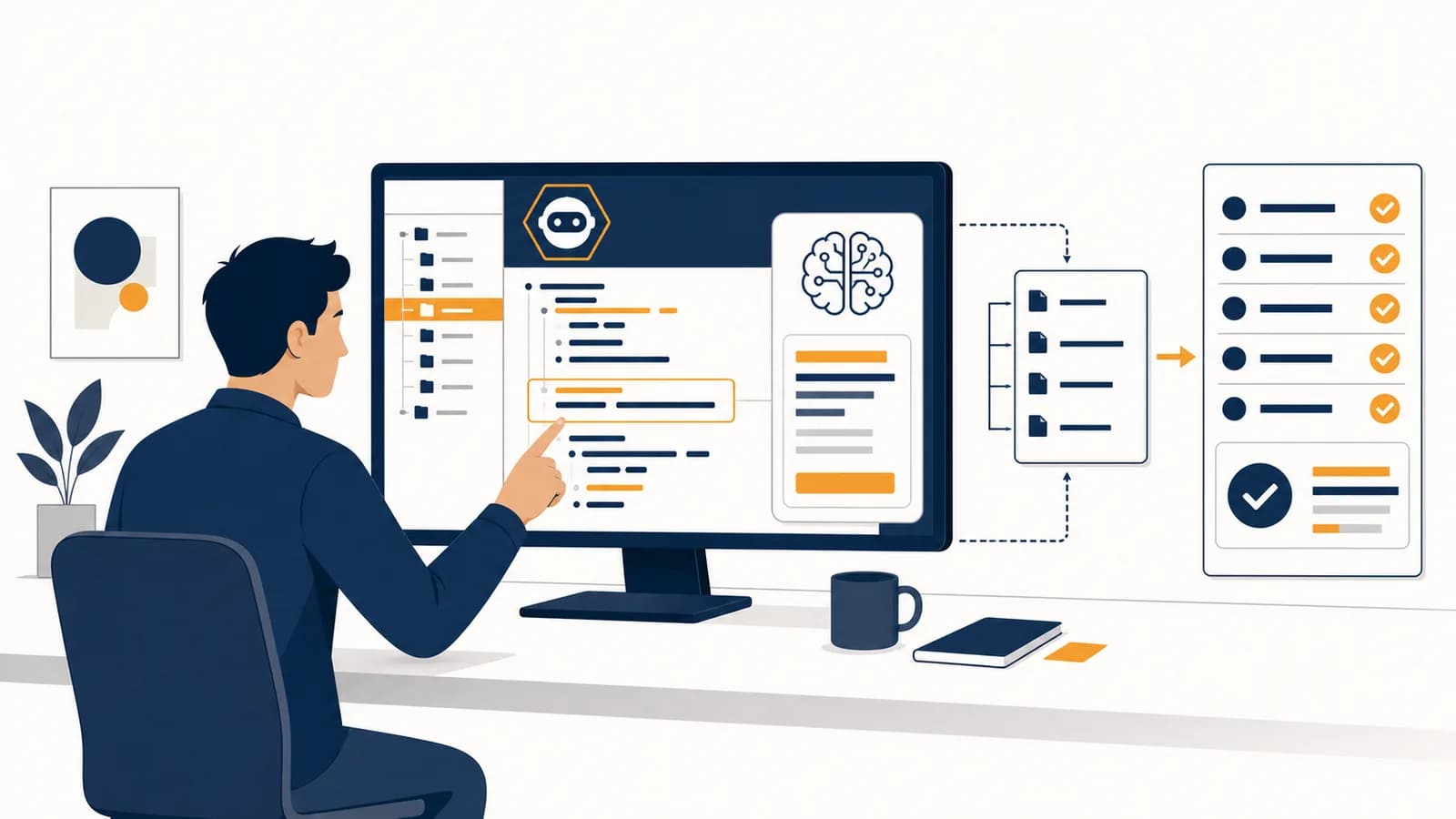
Vibe coding is a software-building method that turns natural-language requests into working code through repeated conversations with an AI model, in the context of computer programming. In plain terms, it is AI coding by prompt: you describe a feature, the model writes or changes files, you run the result, and you report what happened. People use the phrase both for casual prompt-based programming and for a stricter practice in which the human accepts code without studying it closely. The method exists because describing an intended result can be faster than translating every detail into programming-language syntax by hand.
What vibe coding actually is
Vibe coding is an outcome-led form of programming in which a person steers an AI coding tool with plain-language instructions and judges progress mainly by what the software does. The human supplies intent and feedback; the model supplies much of the source code.
The term has a narrower meaning than “using AI while programming.” Computer scientist Andrej Karpathy coined it in a public post in February 2025 to describe a loose workflow: ask for changes, accept the generated code, run it, and feed errors back without paying much attention to the source. The name caught on because it captured a recognizable experience. A person could make a small application by talking about behavior instead of typing each statement.
Building software mainly through prompts, even if the person sometimes reads the code, writes tests, or edits a few lines.
Letting the model produce the code while the person follows the visible results and does not try to understand every implementation detail.
That distinction matters because the same interface can support two very different practices. A student may ask an assistant to explain each generated function and remain in control of the logic. Another person may click “accept all” until the screen looks right. Both used an AI coding tool, but only the second case fully matches the strict meaning of vibe coding.
Behavior is not the whole program. A button can appear to work while the code behind it loses data, exposes private information, fails on a phone, or breaks after the next change.
Vibe coding changes the interface between a person and a computer. Traditional programming asks the person to express an algorithm in exact syntax. Vibe coding lets the person state a goal in an imprecise human language, then relies on a model and repeated trials to translate that goal into exact instructions the machine can execute.
How the prompt-to-program loop works
The prompt-to-program loop works by converting a request into code, executing or previewing that code, collecting concrete feedback, and using the feedback in the next request. Each pass narrows the gap between the intended behavior and the program’s observed behavior.
Suppose the goal is a study timer. “Make a web page with a 25 minute countdown and a start button” gives the model a visible target, but many decisions remain unstated. Should pause preserve the remaining time? What happens after a browser refresh? Can the user start two timers by double-clicking? The first generated version answers those questions somehow, even if the prompt did not.
Describe what a user should be able to see or do. “A timer counts down once per second” is more testable than “make a good timer.”
Name the language, framework, existing files, design rules, and constraints. The model cannot reliably obey information it never receives.
The tool may return a code block, edit files directly, or plan and run several actions. Its permissions determine how much it can do without another confirmation.
A compiler, test runner, browser, or command line turns the proposal into evidence. A fluent explanation is not evidence that the code works.
Give the error text, failing input, screenshot, or unexpected output. “The pause button resets to 25:00” carries more information than “pause is broken.”
Ask for one correction, run the checks again, and preserve a working version. Small steps make it easier to identify which edit caused a failure.
This loop resembles experimental science. The prompt is a proposed intervention, the running program is the experiment, and the result is evidence. The resemblance ends if the person accepts the first pleasing output without checking less visible behavior. Good feedback must include cases that challenge the program, not only the case that first made it appear successful.
What the AI model actually produces
An AI coding model produces probable sequences of text, including source code, based on patterns learned from training data and the context supplied in the current session. A surrounding agent may then place that text into files, run tools, and return the results.
The model receives text as tokens, which are pieces of words and symbols. It repeatedly predicts a useful next token given the tokens already present. Source code has regular patterns, so this process can produce functions, configuration files, database queries, and tests that fit the request. The model is not pulling a complete, verified program from a shelf. It is constructing an answer within the current context.
Context is the model’s working view of the task. It can include the conversation, selected files, directory names, error messages, tool output, and standing project instructions. Missing context creates guesswork. If the prompt says “add login” but never states that the project already uses a particular authentication library, the model may introduce a second system or invent an incompatible pattern.
Generated code can look deliberate because it follows familiar naming and formatting conventions. Appearance does not supply a proof of correctness. The model may call a function that does not exist, use an outdated interface, misunderstand a local requirement, or satisfy the example while missing the general rule. Another run can also produce a different solution because generation involves choice among plausible continuations.
Vibe coding versus AI-assisted software engineering
Vibe coding delegates implementation and often source-level understanding to the model, while AI-assisted software engineering keeps a person accountable for design, review, tests, security, and maintenance. The difference is the level of verification and ownership, not the presence of an AI tool.
| Decision | Strict vibe coding | AI-assisted engineering |
|---|---|---|
| What to build | Human describes the desired result | Human defines requirements and acceptance criteria |
| How to build it | Model chooses most implementation details | Human reviews architecture and tradeoffs |
| How to judge it | Visible behavior and quick trials | Tests, review, monitoring, and visible behavior |
| Who understands failures | Model is asked to repair symptoms | A person can trace the system and explain the repair |
| Where it fits | Experiments and disposable tools | Software that other people depend on |
There is a continuum between those columns. Reading a generated patch, asking why it works, checking library documentation, and adding a failing test before the repair all move the work toward engineering. Clicking accept, judging only the screen, and asking the same model to certify its own output move it toward strict vibe coding.
Code ownership supplies a useful test. If the model stopped helping tomorrow, could someone diagnose a broken payment, change the data model, or explain why access is allowed? If not, the code may function today but lack an effective maintainer. Software engineering includes the future work required after the first successful run.
Judgment depends on foundations such as variables, control flow, data structures, interfaces, databases, networks, and threat models. Those concepts remain useful even when a model writes most of the syntax because they let a person recognize impossible claims, missing cases, and dangerous designs.
How vibe coding shows up in prototypes and personal tools
Vibe coding works best for prototypes and personal tools when the goal is easy to observe, mistakes are cheap to reverse, and no stranger depends on the result. It can quickly turn an idea into an interface that a person can test.
A student wants to compare the cost of packed lunches with cafeteria meals. They ask for a local web page with fields for cost per meal and school days per month. The first version calculates a monthly total but treats an empty field as zero. The student reports the bad case, asks for validation, and tests decimal values, blank input, and negative input before using the calculator.
This example is a good fit because the arithmetic is visible and the data can stay on the person’s device. If cafeteria lunch costs $4.20 for 18 days, the expected result is . The student can compute that independently and compare it with the application. A mismatch exposes a bug without requiring expert knowledge of the generated code.
Visual prototypes are also suitable because people can react to something concrete. A rough event page reveals whether the information hierarchy makes sense, where a sign-up button belongs, and how the layout behaves on a narrow screen. The guide to designing and checking frontends made with AI develops that applied case in more detail.
The same speed can mislead a builder about completion. A convincing screen is a prototype, not proof that the data persists correctly, the page works with a keyboard, or two users cannot see each other’s records. “It looks finished” describes presentation. “It is ready for other people” is a claim about the whole system and requires broader evidence.
How vibe coding shows up in workplaces and production systems
In workplaces, prompt-based coding can create internal scripts, draft interface changes, explain unfamiliar code, and automate repetitive edits. Production use adds stricter requirements because failures can affect customers, money, private data, legal duties, and the work of other teams.
A sales analyst might ask an agent to combine two exported spreadsheets and flag missing customer identifiers. That can save time, but the analyst still needs to check row counts, duplicate handling, date formats, and the output against known examples. If the files contain confidential customer information, company policy must also permit sending their contents to the chosen service.
Software teams often give agents repository-specific rules: which commands run tests, which directories may change, how errors are handled, and what “done” means. Those rules reduce ambiguity and make repeated sessions more consistent. See how instruction files give coding agents persistent project context for the mechanism and examples.
Production code usually passes through version control, automated checks, human review, a staging environment, controlled release, and monitoring. Each layer answers a different question. Version control records what changed. Tests check stated behaviors. Review challenges the design. Staging exercises the built system in a production-like setting. Monitoring reveals what happens with real traffic and real inputs.
Never paste a secret into a coding prompt. Passwords, private keys, access tokens, customer records, and confidential source code require approved handling. Removing a secret from the next message does not undo its earlier disclosure.
Some tasks deserve a different method from the start. Authentication, authorization, payment handling, safety controls, destructive database changes, and regulated data all carry consequences that a quick visual check cannot measure. A useful boundary is covered in the situations where vibe coding creates unacceptable risk.
How do you tell the model what to build?
You tell the model what to build by writing a small, testable specification that names the user, desired behavior, existing context, constraints, and acceptance checks. Concrete examples and forbidden outcomes reduce ambiguity more effectively than adjectives such as “professional” or “smart.”
A weak prompt says, “Make my study timer better.” A stronger prompt says, “In the existing timer page, add Pause and Reset controls. Pause must preserve the remaining seconds. Reset must return to 25:00 without starting. Keep the current colors. Add tests for pause at 12:34 and reset while running.” The second prompt defines evidence that can prove the edit incomplete.
A practical prompt pattern: “For this user, add this observable behavior in these files. Preserve these existing behaviors. Treat these cases as errors. Run these checks and report what changed.”
Long prompts are not automatically better. A long paragraph can hide conflicting instructions, while a short checklist can expose them. Split a large feature into checkpoints that leave the project runnable. Ask for a plan when the change crosses several parts of the system, then inspect that plan before code is changed.
Can beginners learn programming by vibe coding?
Beginners can use vibe coding to create motivating examples and receive immediate explanations, but passive acceptance teaches little about how programs behave. Learning improves when the beginner predicts results, reads small changes, asks for reasons, and repairs failures with evidence.
A useful learning loop starts before generation. Predict what data the program must store and which cases might fail. After generation, trace one path through the code with a specific input. Change one line and predict the effect. Then write or request a test that captures the rule. This turns the model into a tutor and example generator instead of an answer dispenser.
Consider a generated function that returns the largest number in a list. Running it on [3, 8, 2] checks an ordinary case. Running it on [-3, -8, -2] can expose an implementation that incorrectly starts the maximum at zero. Asking why that happens leads directly to initialization, comparison, and loop invariants, which are reusable programming ideas.
Beginners also need practice without generation. Reading an error, using a debugger, writing a small function, and consulting documentation build an internal model of the machine. That knowledge lets a person notice when an assistant gives a polished but impossible explanation.
What tools do you need to start?
You need an AI system that can generate code, a place to run the program, and a way to preserve working versions. A code editor, terminal, test runner, browser tools, and version control make the feedback loop safer and more informative.
Some products combine all of these pieces. Others provide only a chat window, leaving the person to copy code into an editor. The category matters more than a product name because tools change. Check what files the system can read, which commands it may execute, what data it sends away, and whether each edit requires approval.
A minimal local setup can be simple: one project folder, a text editor, the language runtime, and a version-control repository. Save a working version before a large request. If the generated edit fails, compare the changed files with the saved version instead of asking the model to guess what it changed earlier.
Tests are another tool, not a guarantee. A test records an expected relationship between input and output. It proves only that the checked behavior passed under the test conditions. Good suites include ordinary cases, boundaries, invalid input, and regression cases for failures that have already occurred.
6 mistakes people make with vibe coding
The most common vibe-coding mistakes come from confusing rapid output with trustworthy software. They include asking for too much at once, treating confidence as evidence, exposing sensitive data, accepting wide rewrites, testing only success cases, and deploying code nobody can maintain.
1. Asking for the whole application at once
A request for “a complete social network” leaves thousands of decisions unstated. The model must guess about identity, storage, privacy, abuse controls, interfaces, and deployment. The resulting code may contain parts that each look reasonable but do not form a coherent system. Build one vertical slice, such as creating and displaying a private note, then test it before adding another capability.
2. Treating a confident response as proof
Language models are designed to produce plausible continuations, so fluent wording can accompany a false claim. “The issue is fixed” is a report from the generator, not independent evidence. Run the failing case again, inspect the diff, execute relevant tests, and check the actual output.
3. Giving the model sensitive data
Error logs and configuration files often contain access tokens, email addresses, internal hostnames, or customer records. Copying them into a prompt can disclose more than the code problem requires. Replace sensitive values with realistic placeholders, follow the organization’s approved-tool policy, and revoke any credential that was exposed.
4. Accepting a wide rewrite for a small problem
A model may solve one bug by replacing a whole file, changing dependencies, or removing unfamiliar checks. The larger the change, the harder it is to connect a new failure to its cause. Ask for the smallest relevant patch and reject unrelated edits. Version-control diffs make the size and location of a change visible.
5. Testing only the happy path
A sign-up form that accepts one normal address has passed one example. It has not answered what happens with a blank field, repeated submission, slow network, duplicate account, very long input, or a database failure. Turn each important requirement into at least one observable check, including checks that the system refuses invalid actions.
6. Deploying code without a human owner
Every useful application eventually needs a change, a repair, or an explanation. If nobody can inspect the data flow, restore a backup, rotate a key, or interpret an alert, the application has no effective owner. Keep disposable experiments separate from depended-on systems, and assign responsibility before other people rely on the result.
Vibe coding makes computer science more visible
Vibe coding makes computer science more visible because it separates typing syntax from specifying behavior, testing claims, managing information, and controlling systems. The model can generate text quickly, but people still decide what counts as correct and what risks are acceptable.
Watch the next prompt-based program as a chain of translations. A human intention becomes a prompt. The prompt becomes tokens. A model produces source code. A runtime turns the source into behavior. Tests and observation turn behavior into evidence. An error at any boundary can survive while every sentence and screen looks convincing.
The takeaway: Use vibe coding to make ideas concrete, then switch from impressions to evidence. State the behavior, inspect the change, test difficult cases, protect sensitive data, and keep a person responsible for the result.
The most useful habit is to pause after each generated change and ask what would prove it wrong. That question connects vibe coding to algorithms, software design, cybersecurity, human-computer interaction, and the other ideas found across the wider set of computer science explanations. Build one small tool, keep a working copy, and test a case the model was not shown.