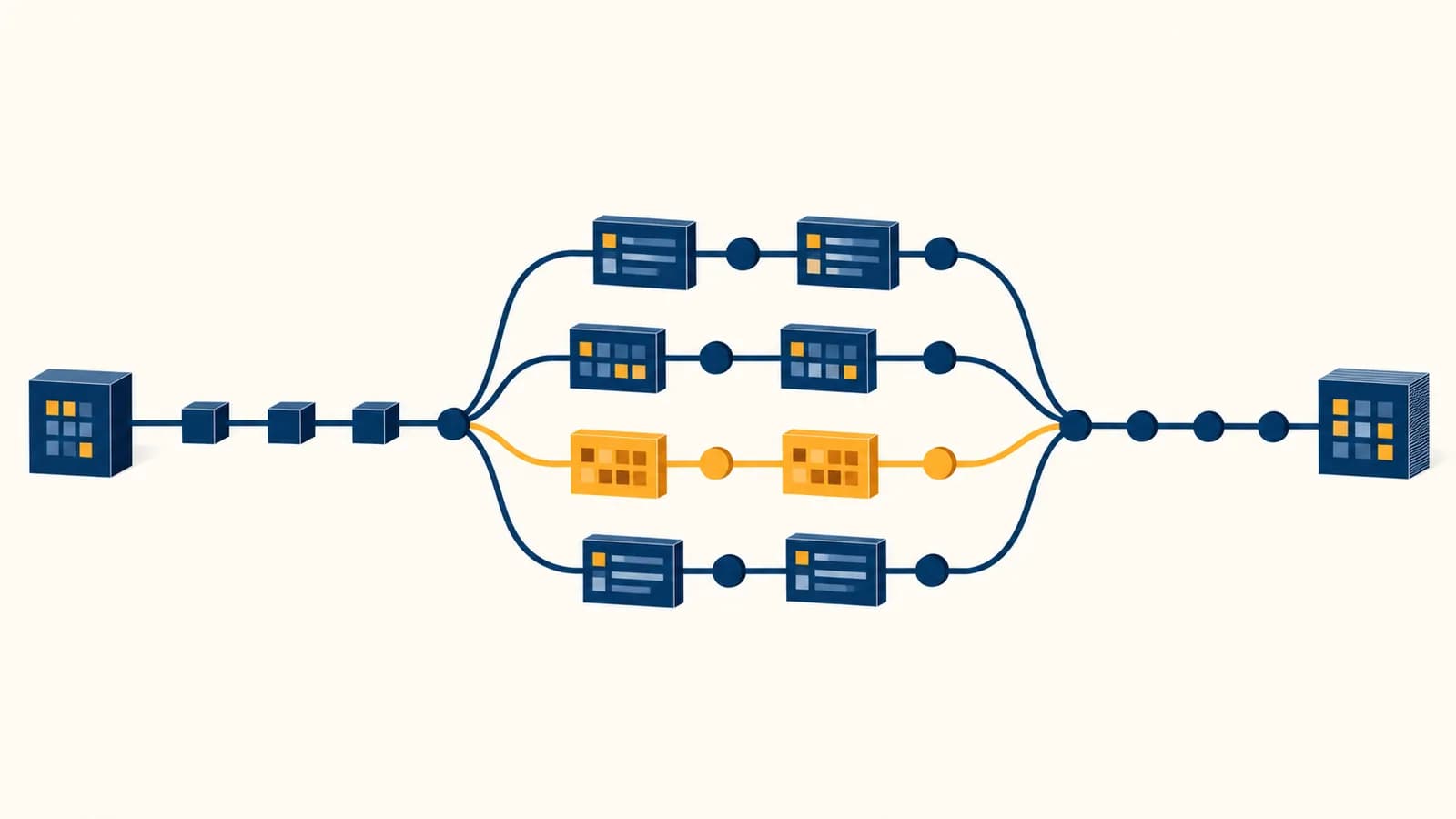
Version control is a system that records changes to files and lets people inspect, combine, and restore those changes, in the context of software development. A version control system such as Git answers practical searches like “what is version control,” “how does Git work,” and “how do I recover deleted code?” It exists because files change, people make mistakes, and teams need one trustworthy history instead of folders named final, final2, and final-really. Each saved checkpoint explains what changed, who recorded it, and which earlier checkpoint it follows.
What version control actually is
Version control is a structured history of a set of files. It stores identifiable snapshots, the relationships between them, and descriptive information about each change, so a person can compare versions, restore earlier work, or combine work made on separate lines of development.
The files usually live in a repository, often shortened to repo. A repository contains the current project plus the information needed to reconstruct its recorded history. Source code is the common example, but the system can track tests, configuration, documentation, data schemas, and other text files.
A word processor’s undo button also moves backward, but it usually follows one temporary editing session. Version control creates named, durable checkpoints that remain useful after the editor closes, the computer restarts, or another person receives the project. A checkpoint can carry a message such as Reject empty email addresses, which makes the history explain intent rather than merely preserve bytes.
Each copy contains files, but the relationships among copies live in filenames, dates, or someone’s memory. It is hard to tell which changes belong together.
Recorded checkpoints have stable identities, parent relationships, authors, times, and messages. The system can calculate exact differences and shared ancestry.
Git is the version control system most learners meet, so the mechanisms below use Git’s vocabulary. The broader idea is older and larger than one program. Centralized systems keep the main history on a server; distributed systems such as Git give each full clone its own project history. In either design, version control turns change into data that software can inspect.
How a repository works
A repository works by storing project content alongside a database of recorded states. In Git, the visible project is the working tree, while a hidden .git directory stores objects, names, configuration, and references needed to recover and compare committed versions.
Suppose a project contains index.html and style.css. You change one color in the stylesheet. Git does not need to treat the whole folder as an unexplained new edition. It can inspect the current files, compare them with the chosen checkpoint, and report the changed lines. Commands such as git status summarize file states, while git diff shows textual differences.
The repository database is content-addressed. Git calculates an identifier from an object’s type, size, and contents using a hash function. If the contents change, the calculated identifier almost certainly changes too. A commit points to a project tree, its parent commit or commits, and descriptive metadata. That chain gives the history its structure.
This design also avoids storing an ordinary full duplicate for every version. Git represents each committed state as a snapshot, but unchanged files can be referenced by the same underlying objects. Storage and transfer may be compressed further in packfiles. The useful mental model is still a sequence and graph of complete project states, not a loose stack of patches.
How a commit records one meaningful change
A commit records a selected project snapshot together with its author information, time, message, and parent history. Creating one does not save every future edit automatically. You choose changes, commit them, and receive an identifier for that exact recorded state.
Consider a small program that calculates a ticket price. You correct a condition so a 15-year-old receives the intended youth price, add a test for age 15, and update the comment. Those edits form one meaningful change because they implement and verify one behavior. A useful commit message is Fix youth price boundary at age 15.
Run git status and review git diff. Confirm which files changed and look for temporary logging, unrelated formatting, or accidental deletions.
Use git add with specific files or selected portions. Staging says which current file contents should enter the next commit.
Run git diff --staged. This comparison shows what the next commit will contain, not everything still modified on disk.
Use git commit and state the behavior changed. The new commit points back to its parent, extending the current line of history.
Small commits are easier to review and reverse because each one has a clear purpose. “Small” does not mean one line. A correct feature may require implementation, tests, and documentation in several files. The boundary should follow a coherent idea. Learning to choose that boundary draws on the decomposition skills taught in variables, loops, and computational thinking.
A commit is a snapshot, not a live backup. Uncommitted edits are outside that checkpoint, and a commit stored only on one device can still be lost with that device.
The parent link matters as much as the snapshot. If commit B names commit A as its parent, Git knows B follows A. A later commit C can follow B. Comparing A with C reveals the combined result, while inspecting B can isolate the middle change. With merges, a commit can have more than one parent, so the history becomes a directed graph rather than a simple list.
Working tree versus staging area
The working tree contains files you are editing, while the staging area describes the exact snapshot proposed for the next commit. A file can therefore be unchanged, modified but unstaged, staged, or partly staged, and each state calls for a different action.
The staging area is also called the index. It is not a vague waiting room. It records a precise version of each path intended for the next snapshot. If you stage app.js, then edit it again, the staged version and working version differ. The next commit receives the staged content unless you stage the newer edit too.
| File state | What it means | Useful inspection |
|---|---|---|
| Untracked | The file exists in the working tree but is absent from the current commit and index. | git status |
| Modified, unstaged | The working copy differs from the staged or committed version. | git diff |
| Staged | The index contains content that differs from the current commit. | git diff --staged |
| Unmodified | The working tree, index, and current commit agree for that tracked path. | git status |
Partial staging is useful when one file contains two unrelated edits. Imagine you fix a calculation near the top and rename button text near the bottom. You can stage only the calculation, commit it with its test, then stage the wording change for a second commit. Tools may display selectable chunks, while git add -p provides an interactive command-line version.
You add validation to a Python form, then notice an unrelated spelling error. Stage the validation code and its test first. Commit that behavior. Then stage and commit the spelling fix. A reviewer can now approve or reverse either change independently, even though both edits began in the same working session.
Staging is optional in some version control systems, but it is central to ordinary Git work. It gives you a review boundary between “what I happened to edit” and “what I am ready to record.” That distinction prevents many noisy commits.
Branches versus copied folders
A branch is a movable name pointing to a commit, not a second full project folder. As new commits are made on that branch, the name advances. Separate branches can share earlier history, diverge, and later be compared or merged.
Assume main points to commit C. You create a branch named search; it initially points to the same C. You then commit D and E while search is checked out. The search name advances to E, while main remains at C. The histories share A, B, and C, so Git does not need unrelated folders named project-main and project-search.
Switching branches asks Git to update the working tree and index to match the selected commit. Git protects changes that would be overwritten in common cases, but a careful user still checks status before switching. A branch does not isolate a second database by default. It is a lightweight reference inside the same repository.
The operating system sees unrelated directories. There is no built-in shared ancestor, and combining changes requires manual comparison or another tool.
Git knows the common history and the commits unique to each line. It can calculate what needs combining and preserve the resulting ancestry.
Teams often create branches for a feature, a bug fix, or an experiment, then request review before integrating the work. Branch names are temporary handles, not permanent containers. Deleting a merged branch removes the name; it does not erase commits that remain reachable through the merged history.
How merging combines separate lines of work
Merging combines changes made after a shared ancestor and records a result that contains both lines of work. Git can complete the merge automatically when edits do not conflict; when incompatible edits touch the same area, a person must choose the intended content.
Suppose the shared version contains buttonText = "Send". On one branch, Ana changes it to "Submit order". On another, Ben changes it to "Place order". Both edits replace the same line, so ancestry alone cannot reveal the product team’s intended wording. Git marks a conflict and places both alternatives in the working file for resolution.
Git identifies the best shared ancestor of the two branch tips. This provides the earlier state against which both sets of changes are measured.
If one branch edits the button and another adds a footer in a different area, Git can usually carry both edits into the result.
For overlapping changes Git cannot safely choose, it marks the affected files as conflicted and leaves resolution to a person who understands the intended behavior.
The resolver edits the files, removes conflict markers, stages the resolved contents, runs relevant tests, and completes the merge commit.
A merge conflict is not evidence that Git has failed. It is an honest report that two histories contain choices the program cannot judge. Even an automatically merged result needs testing. Changes in separate files can interact logically: one branch may rename an API field while another still sends the old name. The text merges cleanly, but the program breaks. The mechanics behind such boundaries become clearer in how software communicates through APIs.
Remove every conflict marker before committing. Lines beginning with <<<<<<<, =======, and >>>>>>> are editing guides, not valid program content.
A fast-forward is the simpler case. If main has not changed since a feature branch split away, Git can move the main reference forward to the feature tip. No divergent lines need reconciling. A merge commit is needed when the histories diverged and the chosen workflow preserves both parent lines.
How version control shows up in real software work
Version control supplies the shared evidence behind code review, releases, automated testing, incident analysis, and collaboration. It lets teams discuss an exact change, run checks against it, attach it to a release, and trace unexpected behavior back through recorded decisions.
On a hosting service, a developer pushes a branch and opens a proposed change, often called a pull request or merge request. Reviewers inspect the diff, comment on individual lines, and request corrections. Automated systems can build the project and run tests for the proposed commit. Approval concerns a specific recorded state, so a later edit can trigger another review or another test run.
A checkout page begins rejecting valid postcodes after a release. The team identifies the deployed commit, compares it with the previous release, and narrows the relevant changes. They can revert the faulty commit, restore service, then prepare a corrected change with a regression test. The history preserves both the mistake and the repair.
Release tags give human-friendly names to selected commits, such as v2.4.0. A deployment system can build exactly that commit rather than whatever happens to be in someone’s folder. If a bug report says it occurred in version 2.4.0, maintainers have a stable starting state for reproduction.
History also supports investigation. git blame can show which commit last changed each line, but its name encourages the wrong social instinct. The useful question is not “who deserves blame?” It is “what change introduced this line, and what problem was that change trying to solve?” Opening the associated commit and review discussion usually provides better evidence than the author’s name alone.
Version control appears beyond product companies. Researchers track analysis scripts and documentation. Newsrooms record changes to interactive graphics. Students preserve stages of an assignment. Public agencies publish software with inspectable histories. In each setting, the repository becomes a record of technical decisions, although it is only as informative as the commits people actually make.
Four mistakes people make with version control
The most damaging version control mistakes come from confusing recorded history with complete protection. Huge commits, vague messages, committed secrets, and unpushed work each remove a different safety benefit, even though the repository may still appear to function normally.
1. Treating one giant commit as a useful history
A giant commit mixes independent decisions and makes review, diagnosis, and reversal harder. If a change adds login validation, reformats every file, updates dependencies, and rewrites navigation, a reviewer cannot easily see which lines implement the behavior. Later, reverting the dependency update may also remove unrelated work.
Separate coherent changes when practical. Review the diff before staging, and use partial staging when one file contains multiple ideas. Do not split so aggressively that the project is broken between every adjacent commit. A good checkpoint has one explainable purpose and leaves the project in a state that tests can meaningfully evaluate.
2. Writing messages that say only “update” or “fix”
A vague message forces future readers to reconstruct intent from code. Prefer an action and an object: Reject expired password reset links or Preserve filters when returning to search. The diff shows how the text changed; the message should help explain what behavior or constraint changed.
For a larger commit, the message body can state why the change was necessary, what alternative was rejected, or which limitation remains. It should not copy every changed filename. Those facts are already in the commit.
3. Committing passwords and access tokens
A secret remains dangerous after deletion from the latest file because earlier commits may still contain it. Ignore files can prevent selected local files from being added, but adding a path to .gitignore does not erase content that was already committed.
If a secret enters a repository, revoke or rotate the credential first. Rewriting history can reduce exposure, but it cannot prove that no clone, cache, log, or screenshot retained the old value. Store secrets through environment configuration or an approved secret manager, and commit a safe example file that documents required variable names without real values.
4. Assuming local commits exist somewhere else
A local commit protects against many editing mistakes, but it still lives on the current storage device until copied elsewhere. Pushing sends selected branch history to a remote repository. A separate backup policy may still be necessary because synchronization and backup solve related but different problems.
Check the destination and branch before pushing. A remote can contain branches that your local repository does not, and your local branches can contain commits absent from the remote. git status often reports whether the current branch is ahead or behind its configured upstream, but it needs recent remote information to make that comparison accurate.
The takeaway: Record small, meaningful changes, inspect what you stage, keep secrets out of history, and copy important commits to an appropriate remote. Version control becomes dependable through habits, not through installation alone.
How undoing changes works
Undoing in version control means choosing which state to restore and whether to preserve the public history. Git can discard uncommitted edits, unstage a proposed snapshot, create a new commit that reverses an old one, or move a local branch reference backward.
These operations are not interchangeable. If you changed a tracked file but want the committed version back, restoring the working file discards the uncommitted edit. If the right content is staged but should not enter the next commit, unstaging changes the index while normally keeping the working file. Always inspect git status and the relevant diff before an undo command.
| Situation | Desired result | Typical concept |
|---|---|---|
| Uncommitted edit is unwanted | Replace working content with a recorded or staged version | Restore the file |
| Change is staged too early | Keep the edit but remove it from the next snapshot | Unstage the path |
| Published commit caused a problem | Add a new commit containing the inverse change | Revert the commit |
| Private local commits are built on the wrong point | Move a branch and possibly preserve changes for recommitting | Reset or rebase carefully |
git revert is often suitable for shared history because it adds evidence instead of rewriting existing commits. If commit X added a faulty rule, its revert commit records the inverse patch and names X. Colleagues who already have the history can receive the new repair normally.
Some undo operations destroy uncommitted content. Before restoring files or using a hard reset, read the command’s target, check status, and copy irreplaceable work outside the repository if its state is uncertain.
Reflogs can sometimes recover commits after a local branch was moved or deleted because Git records recent updates to local references. They are a recovery aid, not a permanent archive and not generally shared by pushing. Recovery becomes harder after unreachable objects are cleaned up, so accidental loss deserves prompt investigation.
How remotes move history between computers
A remote is a named connection to another repository, while clone, fetch, pull, and push transfer or combine repository information in different directions. The remote is not the one true project by definition; teams give it authority through their chosen workflow and permissions.
git clone creates a local repository from another one and checks out an initial working tree. git fetch downloads new objects and updates remote-tracking references without merging them into your current branch. This makes fetch a useful inspection step: you can examine what arrived before deciding how to integrate it.
git pull normally fetches and then integrates according to configuration and options. Because it performs more than one conceptual step, its result is easier to predict once fetch, merge, and rebase are understood separately. git push sends objects and requests updates to references on the destination. A server may reject that request because of permissions, protected branches, failing policy checks, or history that would overwrite newer remote work.
A remote-tracking name such as origin/main is your local record of where the remote branch pointed at the last relevant network update. It is not a live window. Fetch refreshes it. Your local main is a different movable reference and may be ahead, behind, or divergent.
Hosting services add issue tracking, review interfaces, access control, and automated jobs around the repository. Those facilities are valuable, but Git remains usable without a hosting website. The distinction helps when a network is unavailable and when diagnosing whether a problem belongs to Git history, authentication, or the hosting service.
What should stay outside a repository
A repository should exclude secrets, generated clutter, machine-specific state, and large binary outputs that do not belong in ordinary source history. The correct boundary depends on how the project is rebuilt, reviewed, deployed, and shared, so exclusions should be deliberate and documented.
Secrets are the clearest exclusion. Passwords, private keys, session tokens, and production credentials need controlled storage and rotation. A repository usually contains configuration templates and setup instructions instead. Personal editor files and operating system metadata also create noise because they describe one workstation, not the project.
- Generated dependencies: downloaded packages are often rebuilt from a manifest and lockfile, so committing the whole dependency directory may duplicate large amounts of third-party content.
- Build outputs: compiled bundles, caches, and test coverage artifacts are commonly regenerated by tools. Some deployment workflows intentionally track selected outputs, so follow the project’s documented rule.
- Large binary files: video, design files, and datasets do not produce useful line diffs and can make every clone heavy. Specialized large-file storage or an artifact service may fit better.
- Local configuration: absolute paths, temporary databases, and editor state can break or distract other contributors.
.gitignore affects untracked paths. It tells Git which matching files should normally remain untracked. It does not remove a file that is already part of the repository’s recorded content.
Do commit the information required to reproduce a useful state: source files, tests, migration definitions, dependency manifests, lockfiles where the ecosystem expects them, and setup documentation. For a website, HTML, CSS, and source assets usually belong in history, while an editor cache does not. This boundary is visible in projects that teach how page structure and styling become a website.
Binary files are not forbidden. A small logo or required font may reasonably belong in a repository. The question is how often it changes, how large its history becomes, whether collaborators need it to build the project, and whether another storage system provides better review and delivery. State the rule in project documentation so contributors do not have to guess.
Version control makes programming observable
Version control makes programming observable by turning edits into inspectable states and relationships. It connects source code with testing, collaboration, deployment, and investigation, giving Computer Science students a practical way to reason about change instead of fearing it.
The history is a model of how a program developed. Commits represent chosen states. Parent links establish order and ancestry. Branches name current positions. Diffs calculate change between states. Merges combine descendants of a shared state. These are concrete applications of graphs, hashing, state, identity, and algorithms.
Use the mechanism on something small. Create a repository for a short program or webpage. Record the starting version, change one visible behavior, inspect the diff, stage only that change, and commit it with a message that names the behavior. Then make a branch, try an alternative, and compare it with the original line.
Notice what becomes possible once the checkpoints are clean. You can test an idea without losing the known working state. You can show another person an exact proposal. You can locate the change that introduced a bug and reverse it without guessing which backup folder was correct. The system cannot decide what code should mean, but it can preserve enough evidence for people to make that decision carefully.