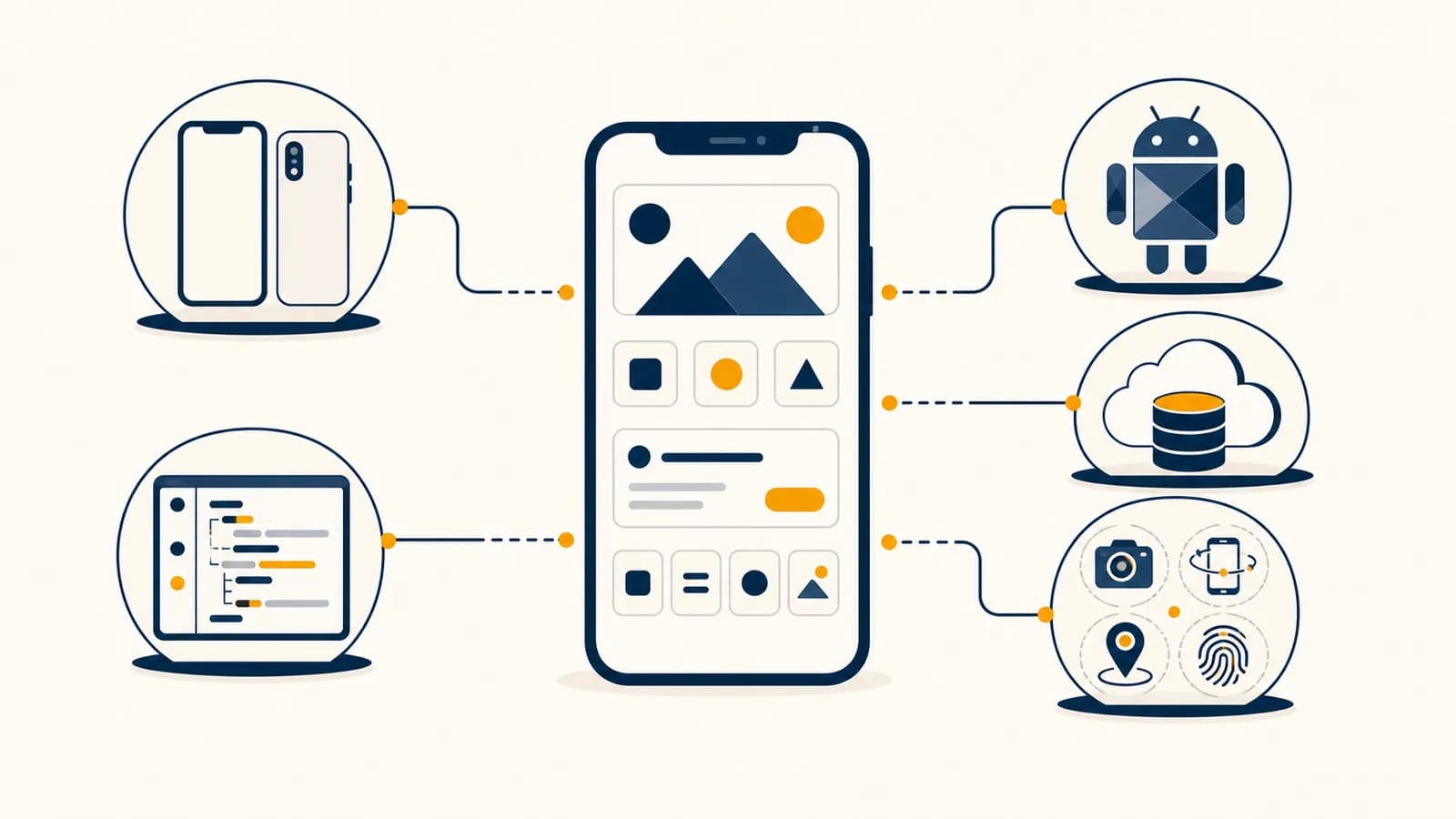
Mobile app development is a software engineering practice that creates programs for phones, tablets, and other mobile devices, in the context of personal computing. iOS app development, Android app development, and cross-platform app development differ in tools and packaging, but all turn user input, stored data, network responses, and device sensors into visible behavior. The practice exists because a pocket device has a small screen, limited battery, changing network access, private data, and hardware such as cameras and location sensors that desktop software cannot assume.
A mobile app is not simply a website squeezed onto a phone. It runs inside an operating system that decides when it may use the camera, how much work it may do in the background, which files it can read, and how notifications reach the user. Good development starts with those constraints, then chooses the smallest architecture that can produce the required behavior reliably.
What mobile app development actually is
Mobile app development is the process of designing, programming, testing, packaging, and maintaining software that runs under a mobile operating system. It includes the visible interface, the logic behind each action, connections to remote services, local storage, and release through distribution systems.
Every app has at least two kinds of responsibility. The first is presentation: drawing text, images, controls, lists, and animation on the screen. The second is behavior: deciding what happens after a tap, validating input, saving information, requesting data, and handling failure. Many useful apps also have a server component, but that server is not part of the installed mobile package. It runs elsewhere and communicates with the app over a network.
Suppose a student builds a homework timer. Pressing Start creates an event. The logic checks that a task has been chosen, records a start time, changes the timer state from idle to running, and asks the interface to display elapsed time. If the screen locks, the app cannot assume its code will keep executing once per second. It should store the start timestamp and calculate the elapsed interval when the screen returns. That small choice separates a trustworthy timer from one that loses time whenever the operating system suspends it.
The same work draws on algorithms, data structures, networking, databases, security, and human interface design. A developer does not use every topic in every feature. A contact list may need sorting and search. A chat screen needs network messages and persistent storage. A photo editor needs image processing and careful memory use. The feature determines which computer science ideas become concrete.
How a mobile app works
A mobile app works by receiving events from the operating system, applying program logic to current data, and rendering a new interface state. The operating system also controls the app's process, permissions, storage boundaries, background time, notifications, and access to device hardware.
When a person taps an icon, the operating system starts or resumes the app process. The app creates its initial screen and loads enough state to show something useful. It might read preferences from local storage, restore an unfinished form, or request a fresh account record from a server. The screen is then built from interface elements supplied by a platform framework or by a cross-platform toolkit.
A tap, swipe, text change, location update, notification, or lifecycle change arrives through an API.
Code checks the current state and decides whether the event is valid. A Submit tap may do nothing until required fields contain acceptable values.
The app may update memory, write a database record, or send a request to a server. Slow work runs without freezing the interface.
The interface redraws the affected parts. Success, delay, empty results, and failure each need an explicit visual state.
Consider a weather app after a city is selected. The app first changes the screen to a loading state. It sends a network request containing the city identifier. A server returns structured data, often JSON, with fields such as temperature, conditions, and forecast periods. The app parses that text into typed values, stores or caches them, and renders a forecast. If the request times out, the correct output is not a frozen spinner. It is a defined error state with a retry action and, when sensible, the last saved forecast.
The screen is a view of state. A reliable app does not treat each label and button as an unrelated object. It defines the data state, then makes the interface consistently represent that state.
Mobile operating systems manage resources aggressively because many apps share one battery and a finite amount of memory. An app can move between active, inactive, background, suspended, and terminated conditions, though the names and exact transitions vary by platform. Code must save important work before it is lost and restore it without pretending that the process ran continuously.
iOS versus Android native development
Native iOS development builds directly for Apple's operating systems with Apple frameworks, while native Android development builds for Android devices with Android frameworks. Both offer direct platform access, but they use different languages, project systems, interface conventions, lifecycle models, and release processes.
| Decision area | Native iOS | Native Android |
|---|---|---|
| Common modern language | Swift | Kotlin |
| Primary official development environment | Xcode | Android Studio |
| Modern interface toolkit | SwiftUI | Jetpack Compose |
| Package distributed to devices | An Apple platform app bundle | An Android application package or an app bundle used for store delivery |
| Device variation | A controlled family of Apple hardware and system versions | Many manufacturers, screen shapes, hardware combinations, and system variants |
Native code speaks the platform's preferred language and uses its official APIs without an extra compatibility layer. On iOS, a SwiftUI view can declare how interface output depends on state. On Android, a Compose function can do the same. Older and mixed projects may use UIKit on iOS or XML layouts and View classes on Android. Production work often means reading both the current approach and code written under earlier frameworks.
The two platforms share concepts even where names differ. Each has a lifecycle, a permission system, persistent storage, background work rules, accessibility services, notification delivery, and a signing process. Learning the concept before memorizing the API makes knowledge portable. A developer who understands why background tasks are restricted can learn a new scheduling API faster than someone who only remembers a code sample.
Native development means every pixel and device service must be programmed from nothing.
Native developers assemble platform controls, frameworks, and system services, then add the product's specific data and behavior.
Platform conventions affect more than appearance. People expect familiar back behavior, text selection, sharing, settings, and accessibility. Ignoring those conventions creates extra learning work and may make the app difficult to use with assistive technology. The related field of designing interfaces people can understand and control explains how research, interaction patterns, and testing shape those decisions.
Native versus cross-platform development
Native development maintains platform-specific applications, while cross-platform development shares a substantial body of code across iOS and Android. Cross-platform tools reduce some duplicated work, but they do not erase platform differences, device testing, store requirements, or the need for native integration.
A cross-platform framework gives one project a common programming model. The shared code usually contains business rules, network calls, data models, and much of the interface. The framework then produces an application for each target. Some frameworks render their own controls. Others map shared components to native controls. Some compile shared code ahead of time, while others include a runtime. These mechanisms have different effects on package size, debugging, appearance, and access to new operating system features.
A small team is building an event check-in app for both platforms. Its screens are forms, attendee lists, QR scanning, and network synchronization. Shared logic may save substantial effort. If the product instead depends on a newly released camera pipeline or a platform-specific augmented reality API, separate native implementations may expose the needed controls sooner.
The choice is an engineering tradeoff, not a contest with one permanent winner. Shared code can reduce repeated feature work and keep business rules consistent. Native projects can make platform debugging more direct and provide immediate access to platform APIs. Team experience also matters. A framework that looks efficient on a comparison chart may be slow for a team that cannot diagnose its build system or write a small native module when an abstraction fails.
Cross-platform does not mean write once and forget each platform. The project still needs app icons and launch configuration, permission descriptions, signing identities, store records, notification setup, accessibility checks, and testing on real device classes. Keyboard behavior, safe screen areas, back gestures, text scaling, and system dialogs can differ even when the source component is shared.
A sensible decision starts with the product's riskiest feature. Prototype camera capture, offline synchronization, maps, background location, or heavy animation before committing to a stack. A plain login screen proves almost nothing because every mature framework handles it. The risky feature reveals the real cost.
How interface, state, and data work together
Interface, state, and data form a feedback loop: stored or received data becomes application state, state determines what the screen shows, and user actions request state changes. Keeping those responsibilities distinct makes errors, loading, restoration, and testing much easier to reason about.
State is the information needed to explain the app right now. For a music player, state includes the selected track, play position, playback condition, and perhaps whether a network request is pending. A play button does not own the truth about playback. It displays an icon based on playback state and sends an intent when tapped. The playback system changes state, then the button updates.
State also has different lifetimes. Text typed into a search box may exist only while a screen is open. A draft message may need local persistence after the process is killed. An account profile may come from a remote database and be cached for quick display. Mixing those lifetimes causes familiar bugs: a rotation clears a form, an old response overwrites a new search, or a signed-out account briefly sees cached private data.
At a target of 60 frames per second, is available for each frame.
The frame calculation shows why expensive work should not block the main interface thread. If image decoding, database work, and layout together exceed the frame budget, motion can stutter and taps can feel delayed. Developers move suitable work to background execution, reduce repeated calculations, load smaller images, and update only the interface parts that changed. A faster processor can hide a mistake on one phone, so testing must include less capable hardware.
Network data introduces concurrency. A person can start one search, change the query, and start another before the first response arrives. The responses may return in the opposite order. The app should cancel obsolete work or associate each response with its request. Otherwise a search for “swift” can end by displaying results for the earlier query “swi”. This is a timing bug, not a spelling bug.
How mobile apps show up in real work and daily decisions
Mobile apps appear wherever portable identity, sensors, communication, or quick data entry are useful. Their code affects banking approvals, warehouse scans, medical records, travel directions, school messages, accessibility tools, entertainment, and ordinary choices about privacy, attention, and spending.
A warehouse app can scan a barcode, look up an item, and update inventory without carrying a separate computer. The hard part is not drawing the Scan button. The app must handle a damaged code, duplicate scans, an interrupted connection, a worker using gloves, and two devices editing the same stock record. Offline entries need identifiers and timestamps so the server can detect conflicts when connectivity returns.
A banking app handles a different risk. It must prevent secrets from appearing in logs, store sensitive credentials through protected system facilities, confirm important actions, and treat the device as potentially lost. A polished transfer screen means little if pressing Submit twice can create two requests. The server and app can use an idempotency key, a unique value that lets repeated submissions represent the same intended operation.
Convenience can create a security boundary. Copying an authentication token into ordinary preferences, showing private content in app switcher previews, or trusting a value because it came from the interface can expose data.
Health and accessibility apps make system behavior especially visible. Text must remain readable when the user increases the system font size. Controls need meaningful accessibility names. Important meaning cannot depend only on color. A reminder must account for notification permission and quiet modes rather than assuming that scheduling guarantees attention.
Consumer apps also shape decisions through defaults and feedback. A delivery app decides which fee appears first. A social app decides when a notification is sent. A map ranks routes according to chosen costs such as time, distance, tolls, or walking. These are implemented policies. Developers translate them into data models, sorting functions, interface order, and experiments, so code review can also be a review of human consequences.
Large app projects require version control, code review, automated builds, monitoring, and incident response. The practices in taking software from a prototype into dependable production become visible when a mobile release must serve many device versions without losing user data.
Five mistakes people make with mobile apps
Most early mobile app failures come from treating the happy path as the whole system. Developers overlook lifecycle changes, unreliable networks, untrusted input, varied devices, and release constraints. Each mistake can be corrected by making hidden states explicit and testing behavior under interruption.
1. Putting all logic inside a screen
A screen should coordinate presentation, not become the only place that understands validation, storage, networking, and business rules. When everything lives in one screen class or component, a small change can break unrelated behavior and meaningful unit tests become difficult. Extracting data access and rules into focused modules lets the same behavior survive screen recreation and makes failures easier to locate.
2. Designing only for successful networks
A network request can be slow, rejected, duplicated, interrupted, or answered with data the app did not expect. Each remote feature needs loading, empty, error, and success states. Actions that modify data need a retry policy that avoids accidental duplication. An offline mode also needs an honest contract: cached reading is simpler than offline editing with later conflict resolution.
3. Trusting input because it came from the app
Interface validation improves feedback, but it is not a security boundary. A modified client can send values that no visible control allows. Servers must authenticate requests, authorize access to each resource, validate fields, and enforce business rules. The app should also parse server data defensively because versions can differ and fields can be absent.
4. Testing one screen size and one device
A layout that fits one phone can clip on a smaller display, waste space on a tablet, or break when text is enlarged. Device differences also include camera hardware, memory, system versions, input methods, themes, and network conditions. Automated tests cover logic and repeatable flows, while real devices reveal performance, touch, sensors, and manufacturer behavior that a simulator may not reproduce.
5. Treating release as the finish line
Release begins a maintenance cycle. Operating systems change, certificates expire, backend contracts evolve, dependencies gain fixes, and real usage exposes cases that test data missed. A team needs crash reporting, privacy-aware logs, staged delivery when available, a rollback or mitigation plan, and ownership for incoming reports. The architecture should make small safe changes possible.
This standard changes planning. “Add photo upload” becomes a set of testable cases: permission denied, picker canceled, file too large, upload interrupted, app backgrounded, response malformed, and photo deleted. Naming those cases before coding usually produces a simpler design because the team can decide which states belong in the app and which guarantees belong on the server.
How app permissions protect device capabilities
App permissions place user consent and operating system enforcement between software and sensitive capabilities such as the camera, microphone, contacts, location, and notifications. An app should request a capability only when its purpose is clear and continue sensibly if access is denied.
Permission handling has several states, not one yes or no. Access may be undetermined, granted, denied, limited, or restricted by device policy, depending on the platform and capability. Some permissions can be granted only while the app is in use. People can later change a decision in system settings. Code should query current status rather than relying on an old in-memory answer.
A study app offers “Attach a page photo.” It first explains that the camera will capture the page, then requests camera access after the person taps the action. If permission is denied, the app can offer the photo library or a text note instead. Asking at launch would give no context and would make refusal harder to handle gracefully.
Permissions do not make all use ethical or secure. Camera access granted for scanning homework does not justify silently collecting unrelated images. The app should minimize collection, transmit data securely, state retention clearly, and delete information when the product contract says it will. Technical access answers “may the process call this API now?” Product policy must still answer “should it do so?”
How testing and release work
Mobile testing checks isolated logic, connected components, complete user flows, accessibility, performance, and behavior on representative devices. Release then signs a specific build, submits it through a distribution channel, observes real failures, and uses controlled updates to limit the effect of defects.
A unit test might verify that a cart total applies a discount rule correctly. An integration test might run the repository against a test database or server. An interface test might launch the app, enter a value, press a button, and verify the resulting screen. Manual checks still matter for animation, touch feel, screen reader order, camera behavior, and interruptions such as calls or lock screens.
Before distribution, the app is compiled and packaged with configuration for a specific environment. Cryptographic signing links the package to a developer identity and allows the platform to detect later modification. Store review and policy checks are separate from technical correctness. Approval does not prove that an app has no bugs or that its privacy choices are wise.
Many mobile screens depend on servers, content delivery networks, domain names, and encrypted connections. Learning how packets, addresses, names, and web requests move across networks helps explain why an app can open normally yet show stale data or fail only on one connection.
How a beginner should choose a first mobile stack
A beginner should choose one platform, one supported language, and one small app whose main behavior works offline. The best first stack is the one that can be installed, debugged, and tested on available hardware without hiding basic state, storage, and lifecycle concepts.
Choose native iOS if access to a Mac and Apple development is the goal. Choose native Android if Android devices or Kotlin are the target. Choose a cross-platform framework if producing both versions is part of the learning goal and the additional tooling is manageable. Do not begin by comparing every framework. Installation, documentation, and the ability to inspect errors matter more than a long feature list.
A useful first project is a local habit log, field notebook, or expense list. It needs forms, validation, state, persistence, list rendering, editing, and deletion without requiring account security or a production server. Add one difficult feature at a time. First preserve data after restart. Then handle empty and invalid input. Then add search. A later version can synchronize, but local correctness should be visible first.
- Define one sentence of behavior, such as “A person records a task and marks it complete.”
- Sketch the minimum states: empty list, populated list, editing, validation error, and storage failure.
- Build the data model and storage before polishing animation.
- Test process restart, screen changes, large text, and denied permissions.
- Explain each error in your own words before copying a proposed fix.
After the first project, rebuild one feature using a different approach. Replace an in-memory list with a database, or replace a fixed sample with a network request and cache. Comparing implementations turns tool knowledge into engineering judgment.
Mobile app development makes computer science observable
Mobile app development makes computer science observable because abstract ideas become actions on a device: state changes redraw screens, queues order work, databases preserve records, protocols move messages, permissions enforce boundaries, and algorithms determine what appears first and how quickly.
A phone provides a compact laboratory. Turn on airplane mode and observe which features still work. Increase text size and inspect the layout. Deny a permission, rotate the device, lock the screen during a timer, or submit the same action twice. Each experiment asks a precise question about state, lifecycle, data ownership, or concurrency.
The subject becomes easier to connect when you can trace one tap all the way through the system. The event enters an interface handler, changes a model, may become a database write or network request, and returns as a new screen state. The broader collection on how computing ideas work in code and real systems places that trace beside the algorithms, hardware, networks, and social decisions it depends on.
The takeaway: Build one small feature, then test the conditions the happy path hides. A dependable mobile developer can explain what the app knows, where that knowledge is stored, who may change it, and what happens when any step fails.