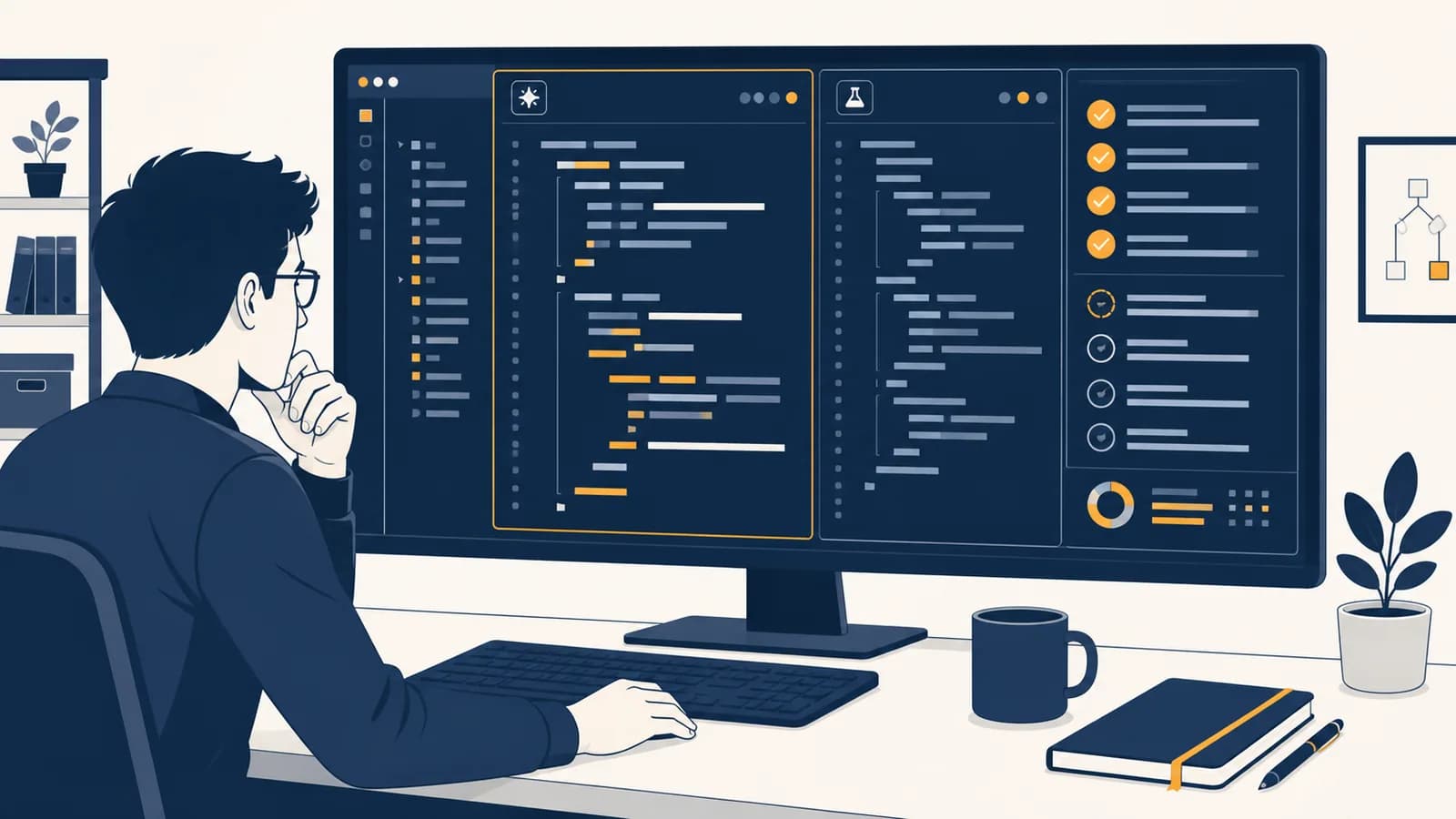
AI coding assistants are software tools that generate, explain, revise, and inspect computer code in response to human instructions, in the context of software development. An AI code assistant, AI pair programmer, or coding copilot exists to reduce the time spent recalling syntax, searching documentation, and writing routine code. It can suggest the next line, draft a function, explain an error, or propose tests. Its output is a prediction, not a verified solution. The programmer still has to decide what the software should do and prove that the proposed code actually does it.
What an AI coding assistant actually is
An AI coding assistant is an interface between a programmer and a code-generating model. It accepts context such as a request, an open file, or an error message, then returns a proposed completion, explanation, edit, command, or review for the programmer to accept or reject.
The word assistant describes a role, not a guarantee of intelligence or correctness. The tool may live inside a code editor, a chat panel, a terminal, a website, or a code-review system. Some assistants act only when asked. Others predict code as a person types. Agent-style assistants can inspect several files, run approved tools, and keep working through a multi-step task.
Several parts work together:
- The interface collects the programmer's request and displays proposed changes.
- The context system selects useful material, such as nearby code, file names, project instructions, search results, and tool output.
- The model predicts a useful response based on patterns learned during training and the context supplied now.
- The tool layer, when present, lets the assistant read files, search a repository, run tests, or call other approved programs.
- The programmer supplies intent, sets boundaries, checks evidence, and owns the final change.
Generated does not mean executed. A model can produce code that looks valid without running it, checking its types, or observing what it does with real inputs.
This distinction explains both the appeal and the risk. Source code has visible structure, repeated patterns, and extensive public documentation, so a model can often produce plausible code quickly. Yet tiny details control behavior. One reversed comparison, omitted permission check, or wrong library version can turn a convincing answer into a defect.
How an AI coding assistant works
An AI coding assistant builds a context package, converts its text into tokens, asks a trained model to predict a response, and presents the result as code or prose. Tool-enabled assistants may repeat this cycle after reading files, running commands, or observing test results.
A token is a unit the model processes. It might be a short word, part of a long word, punctuation, indentation, or a fragment of code. The model does not receive a program as a compiler's syntax tree unless another system explicitly provides one. It usually receives a sequence containing text representations of the request and selected context.
During training, the model adjusted numerical parameters so that it became better at predicting tokens that follow earlier tokens. Later tuning can teach it to follow instructions, format edits, use tools, and avoid some unsafe actions. At use time, the model's parameters are normally fixed. Supplying a project file changes the current context, not the trained model itself.
If the context ends with for (const item of, the model assigns probabilities to possible next tokens and generates one, then repeats the process.
Real generation is more flexible than always choosing the single highest-probability token in the formula. A decoding method may sample among likely choices, which helps explain why identical requests can receive different answers. Each selected token becomes part of the context for selecting the next one. A long function emerges one small prediction at a time.
The surrounding product matters as much as the model. A strong model with the wrong file can confidently solve the wrong problem. A context system that retrieves the relevant type definition, test, and configuration gives the same model a better chance of matching the project.
How context changes the answer
Context changes an assistant's answer by placing project-specific facts beside the request. Relevant types, tests, conventions, dependencies, and errors constrain the prediction; missing or stale context forces the model to guess, often producing code that is valid in some project but not this one.
Suppose a programmer asks, “Add a function that gets a user.” That request leaves major questions unanswered. Is the identifier a number or a string? Does absence return null or throw an exception? Is data stored in memory, a SQL database, or an external service? Does the caller need an authorization check?
“Write getUser.” The assistant must infer the language, data source, return type, error behavior, and project style.
“Implement getUser(id: UserId): Promise<User | null> in users.ts. Use the existing repository and follow getTeam. Add tests for a found and missing user.”
The second request names the contract and points to a local example. The assistant can inspect how getTeam handles queries and errors, then copy the project pattern without inventing a new one. This is why clear interfaces help humans and models at the same time.
Context has a capacity limit. An assistant cannot treat every file in a large repository as equally visible at once. Products manage this constraint by selecting nearby text, searching for symbols, summarizing files, or retrieving passages related to the request. Selection can fail. A similarly named function may be chosen while the authoritative interface is missed.
Instructions also compete. A repository rule might say to use parameterized database queries, while a copied prompt asks for string concatenation. Well-designed tools assign priorities to different instruction sources, but the programmer should still inspect the resulting query. The page on connecting AI-assisted code to databases safely follows that problem into schemas, queries, migrations, and data checks.
AI coding assistants versus compilers, search, and ordinary autocomplete
An AI coding assistant predicts a useful response, while a compiler checks and translates code according to formal language rules, search retrieves existing material, and ordinary autocomplete usually selects known symbols or fixed snippets. These tools overlap in an editor, but they provide different evidence.
| Tool | Main operation | Typical output | What the output proves |
|---|---|---|---|
| AI coding assistant | Generates from learned patterns and current context | Code, edits, explanations, or commands | Nothing by itself about correctness |
| Compiler or type checker | Applies formal syntax and type rules | Executable output or diagnostics | That checked rules passed, not that behavior matches intent |
| Search tool | Retrieves indexed material | Files, documentation, or web pages | That matching material exists |
| Ordinary autocomplete | Matches symbols, keywords, or snippets | A completion from a bounded set | Usually that the symbol or snippet is available |
Consider a function meant to calculate a discounted price. An assistant might generate price * (1 + discount). The expression can compile because every value has a valid numeric type. The compiler has proved that the expression follows its rules, not that a discount should subtract rather than add. A test with a price of 100 and a discount of 0.20 exposes the semantic error: the expected result is 80, while the generated expression returns 120.
Different tools answer different questions. The assistant asks, “What code seems to fit?” The compiler asks, “Does this obey language rules?” A test asks, “For this input, did the observed result match an expected result?”
Search and generation also differ in traceability. A search result can point to the exact manual page or source line it found. A generated explanation may state a library method from patterns in its training or context, but the wording alone does not identify an authority. For version-sensitive behavior, open the installed package's documentation or inspect the actual type definitions.
How AI coding assistants show up in an editor and terminal
In an editor, an assistant can complete code, transform a selected block, explain diagnostics, and discuss project files. In a terminal, it can propose commands, edit across files, run approved checks, and use the results to revise its work through repeated action and observation.
An inline completion is the smallest interaction. The programmer writes a function name or comment, and faded text appears after the cursor. Accepting the suggestion inserts it; ignoring it keeps the file unchanged. This mode is fast because the current file and cursor position already communicate much of the task.
Chat is better for an explicit contract: “Explain why this request can be processed twice,” or “Change this parser so blank lines are ignored, then add a test.” An edit mode may return a patch, a representation of lines to add and remove. A patch is easier to review than a fresh full-file response because the changed region is visible.
A student sees Cannot read properties of undefined in a browser console. They give the assistant the error, stack trace, relevant function, and sample input. The assistant notices that find can return no item and proposes a check. The student reproduces the failure, adds a missing-item test, applies the patch, and reruns the test. The evidence comes from the reproduction and test, not from the assistant's confidence.
Agent-style operation adds a loop. The assistant makes a plan, uses a file or command tool, reads the result, and chooses another action. A test failure becomes new context. If the failure says an expected field is user_id rather than userId, the next edit can address that specific mismatch.
Tool access creates boundaries. Reading a source file is different from sending a message, deploying a service, or deleting data. Good workflows require approval for actions with larger effects and restrict the assistant to a defined workspace. A proposed shell command deserves the same review as proposed code because it can change files or contact external systems.
How AI coding assistants show up in professional software work
Professional teams use coding assistants for bounded tasks such as drafting tests, translating repetitive code, explaining unfamiliar modules, preparing documentation, and suggesting review comments. The useful unit is usually a reviewable change with a clear requirement and an independent way to check it.
A maintenance programmer may need to add a field to a network response. The visible edit looks small, but the real task crosses a type definition, serializer, tests, documentation, and perhaps an older client. An assistant can search for references and propose coordinated changes. The engineer knows which compatibility promise must remain true and checks each boundary.
In code review, an assistant can flag a missing null check or summarize a large patch. It should not replace the reviewer. A review is partly technical and partly social: the reviewer asks if the change matches the product requirement, fits the team's operating knowledge, and leaves future maintainers a comprehensible design. Those judgments are rarely contained in the diff alone.
Assistants also meet programmers in incident response. They can interpret logs, locate the code that emits an error, or draft a query. Production incidents reward caution. A plausible but destructive command can make recovery harder. Read-only inspection, narrow time ranges, copied evidence, and explicit approval separate diagnosis from mutation.
Name the required behavior, inputs, outputs, constraints, and cases that must remain unchanged.
Ask for the smallest coherent patch and identify files or systems that are out of scope.
Read every addition and deletion. Trace unfamiliar calls to their definitions instead of accepting familiar-looking names.
Use formatting, types, tests, security checks, and a manual example suited to the change.
Keep the requirement and evidence in the commit or review so another person can understand why the code changed.
This process is a form of keeping a person responsible for AI-assisted decisions. The person does not need to type every character. They do need enough understanding and evidence to approve the result.
How a programmer verifies AI-generated code
A programmer verifies AI-generated code by turning the requirement into observable checks, reviewing the exact diff, and running tools that test different failure classes. Verification must cover intended behavior, edge cases, integration boundaries, security assumptions, and effects outside the edited function.
Begin with a specification small enough to test. “Make login work” is hard to verify. “A registered user with the correct password receives a session; a wrong password returns the same public error as an unknown account; neither response logs the password” states observable behavior and a security constraint.
Then use several kinds of evidence. A type checker catches some mismatched values. Unit tests exercise isolated cases. Integration tests reveal disagreements between modules or services. Static analysis can flag known risky patterns. Manual use shows whether the feature behaves sensibly through its real interface. None covers every possible input, so the mix should match the cost of failure.
For a quantity field allowing 1 through 99, try an ordinary value such as 5, boundaries 1 and 99, invalid values 0 and 100, and an input that once caused a reported bug.
This formula is a planning aid, not a proof of total correctness. It makes omitted categories visible. Generated tests can repeat the implementation's mistaken assumption, especially if the assistant wrote both. Derive expected values from the requirement or an independent calculation. For a tax or discount function, compute a small example by hand before reading the proposed assertion.
Security review asks how untrusted data moves. Trace input into database queries, HTML, file paths, commands, and authorization decisions. Parameterized APIs, output escaping, path restrictions, and permission checks belong at specific boundaries. Asking an assistant “Is this secure?” invites a broad opinion. Asking it to list every path by which request.body.name reaches an output gives a reviewable map, which the programmer must confirm.
The detailed practice of finding and fixing faults in generated code begins when a check fails. The important habit is to preserve the failing example. It prevents an attractive rewrite from hiding the original defect.
Five mistakes people make with AI coding assistants
The most common mistakes are asking for an undefined outcome, providing weak context, trusting plausible output, accepting oversized changes, and exposing data or authority carelessly. Each mistake removes a constraint or check that software development needs, regardless of who typed the code.
1. Asking for code before defining behavior
A prompt such as “Build a checkout” names a feature but not a contract. The assistant must invent rules for currency, stock, retries, authentication, and failure messages. Those guesses can become hidden product decisions. Write acceptance examples first, then ask for the smallest part that satisfies them.
2. Giving the model the error but not the surrounding evidence
An error message often describes where a failure became visible, not where it began. Include the stack trace, relevant input, expected output, dependency version, and a minimal reproduction. Exclude unrelated files. More text is not automatically better context; relevant text is better context.
3. Treating fluency as proof
Models can produce confident explanations for nonexistent methods, wrong command flags, and outdated interfaces. Code formatting makes an answer easy to read, not true. Check symbols against the installed library, run commands in a safe scope, and demand a test that would fail if the main claim were wrong.
“The explanation sounds precise, so the API probably exists and behaves as described.”
“The installed type definition exposes this method, the official versioned documentation agrees, and a small test shows the expected behavior.”
4. Accepting a patch too large to understand
A giant patch can mix the requested feature with renamed files, new abstractions, dependency changes, and formatting noise. Review becomes a memory test. Ask for one coherent change, inspect it, commit it, then continue. If the assistant cannot explain why a changed line is required, remove or isolate it.
5. Granting broad data and tool access
Prompts, pasted logs, repository files, and tool results can contain secrets or personal information. Check the product's data controls and the organization's policy before sharing them. Redact credentials rather than asking the model to ignore them. Give tools the least access needed, and keep deployment, payment, deletion, and public communication behind explicit human approval.
Can an AI coding assistant write a whole application?
An AI coding assistant can draft many parts of an application, but a working product also needs coherent requirements, architecture, data rules, security, testing, deployment, monitoring, and maintenance. The larger the task, the more chances separate plausible choices have to conflict with one another.
A small personal tool with one screen and temporary data may fit in a single request. Even then, “whole” often means that a demonstration runs on one machine. A maintained application must survive malformed input, dependency updates, restarts, changing requirements, and use by people who did not build it.
Decomposition makes a large request tractable. Define one vertical slice, such as creating a note and seeing it in a list. Specify the data model and user-visible behavior. Let the assistant propose a patch. Test the browser, server, and storage path together. Only then add editing, deletion, accounts, or sharing.
Architecture still matters because local choices accumulate. If one generated route treats an absent record as an error and another treats it as an empty value, clients become complicated. Shared types, named interfaces, small modules, and recorded decisions give later requests constraints to follow.
Can an AI coding assistant use a private codebase safely?
An AI coding assistant can work with private code only as safely as its data handling, permissions, configuration, and operator behavior allow. Before use, determine what leaves the machine, how long it is retained, who can access it, and which actions the tool can perform.
“Private repository” describes access to the source host. It does not by itself describe what an editor extension sends to a model service. A context feature may transmit selected code, prompts, file paths, diagnostics, or repository summaries. Local execution may reduce some transmission, but local software can still read sensitive files or run dangerous commands.
Classify information before granting access. Public source, internal business logic, customer records, credentials, health information, and unreleased security reports deserve different controls. Never place an active secret in a prompt. If a secret appears in logs or source, remove it from the working material and rotate it according to the service's incident procedure.
Repository access is not the only permission that matters. A tool that can run commands may reach environment variables, network services, package registries, cloud credentials, and files outside the code currently visible in the editor.
Legal questions also depend on the project and jurisdiction. Teams may need rules for confidential information, acceptable licenses, attribution, generated output, and records of review. The practical response is not to assume that every generated line has the same history. Use approved tools, preserve review evidence, and consult the people responsible for legal policy when the project carries material obligations.
Can beginners learn programming with an AI coding assistant?
Beginners can learn with an AI coding assistant if they use it to expose reasoning, test predictions, and compare alternatives. Learning stalls when the assistant supplies finished programs faster than the learner can explain, modify, and debug them without help.
A useful learning prompt asks for a trace: “For input [3, 1, 3], show the value of seen after each loop iteration.” The learner predicts the next state first, then compares. Another useful request asks for one hint or a minimal failing test instead of a finished solution.
Use a simple standard for ownership: can the learner state the function's contract, explain each branch, predict an ordinary case, and change one requirement? If not, the code is borrowed capability. That can be acceptable for a quick experiment, but it should not be mistaken for learned skill.
Write a small function without assistance. Ask the tool to review it without rewriting it. Turn one comment into a test. Fix the function yourself, then ask for a different solution and compare time cost, memory use, and readability. This keeps the learner in charge of the reasoning.
Foundational knowledge makes the assistant more useful, not less. Variables, control flow, data structures, functions, state, networking, and databases let a programmer notice when generated code violates the system's rules. An assistant can explain these ideas repeatedly, but running and modifying examples is what connects words to behavior.
AI coding assistance makes verification part of programming
AI coding assistance shifts effort from producing every line toward specifying behavior, supplying context, inspecting changes, and gathering evidence. This is still computer science: programs remain precise instructions whose effects follow from code, data, machines, and networks rather than from fluent explanations.
The durable skill is building a chain from intention to evidence. State what should happen. Find the interfaces that constrain it. Generate or write a small change. Read the diff. Run a normal example and a boundary case. Keep the failing case whenever you discover a defect.
That chain connects AI assistance to the wider set of computer science concepts and applications. Algorithms explain the steps a program takes. Data structures shape what it can represent. Operating systems and networks determine where it runs. Security asks who may cause each effect. Software engineering keeps those choices understandable as the program changes.
The takeaway: Treat every AI suggestion as a proposed experiment. Before accepting it, name the expected behavior and choose an observation that could prove the proposal wrong. The assistant can supply code quickly; computer science supplies the models and checks that make code dependable.
On the next assisted task, pause before generating. Write one sentence describing the contract and one example with an expected result. After the tool responds, trace that example through the proposed code. The gap between the expected result and the observed result is where the real programming work becomes visible.