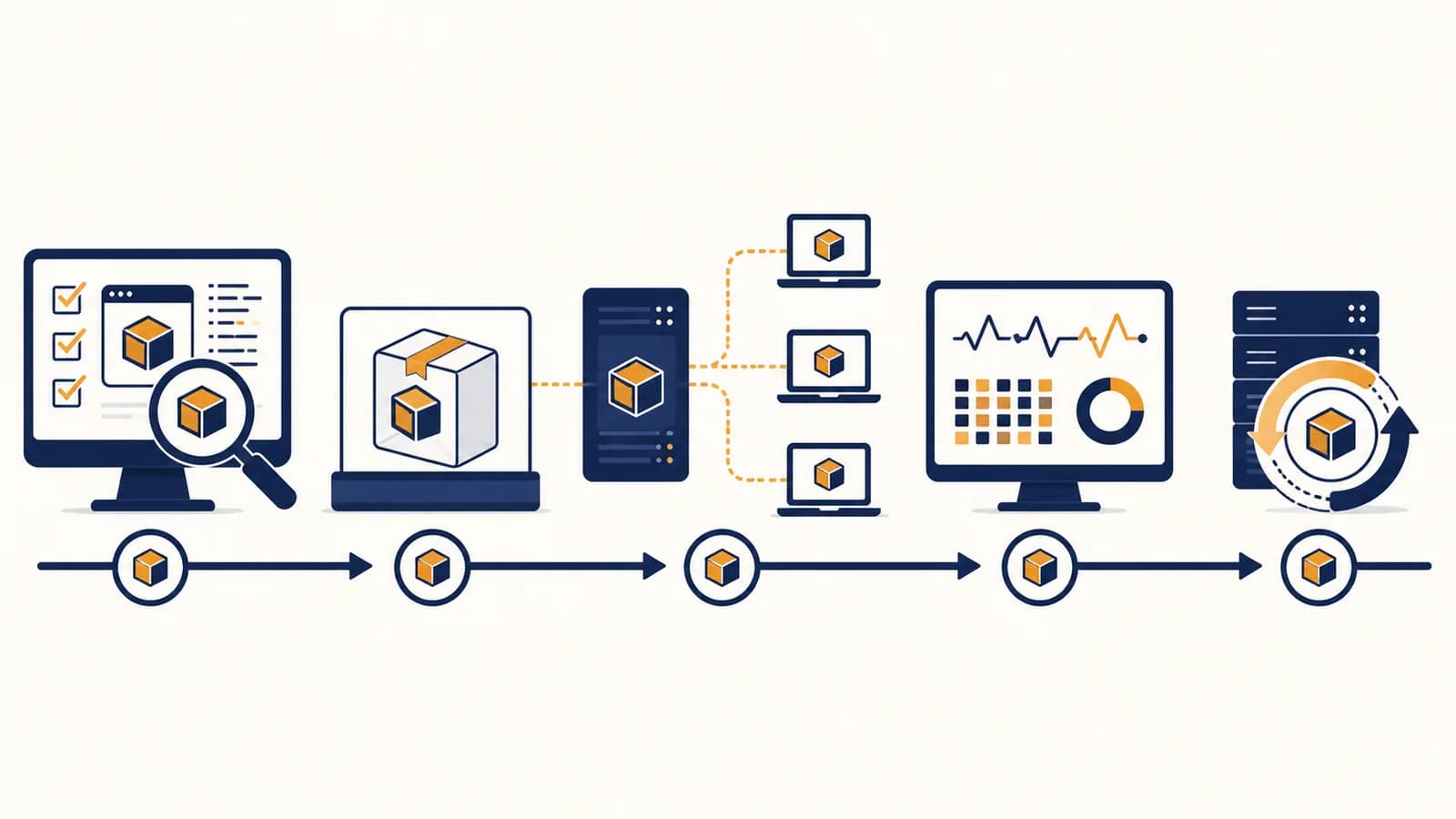
Deploying AI-built applications is a software delivery process that turns code produced with artificial intelligence into a running, reachable, and maintainable service, in the context of computer science. Application deployment covers packaging, configuration, hosting, databases, security, testing, monitoring, and updates. People also search for how to deploy an AI-generated app, publish AI-written code, or move a prototype to production. The process exists because code on a laptop cannot serve real users until another computer can run it reliably and operators can detect and repair failures.
An AI coding tool can produce a convincing interface in minutes, but it does not remove the systems around that interface. A deployed application still needs a runtime, network address, secrets, stored data, logs, and a controlled way to change versions. Deployment is where a generated project meets those concrete requirements.
Deployment is a transfer of responsibility. During development, the programmer keeps the application alive. After deployment, an automated system must start it, route requests to it, preserve its data, and report trouble.
What deployment actually is
Deployment is the controlled release of a particular application version into an environment where intended users or testers can reach it. It includes installing executable code, supplying environment-specific settings, connecting dependent services, starting processes, checking health, and recording what was released.
A version might be a Git commit, a container image, or a bundle of static files. An environment is a named collection of computing resources and configuration. A team may have a local environment on each developer's machine, a preview environment for a proposed change, a staging environment that resembles production, and a production environment used by the public.
The deployable object depends on the application. A static site can become HTML, CSS, JavaScript, and images copied to a content delivery network. A server-rendered site needs a process that can execute its language runtime. An API needs a listening server and often a database. A mobile app must be signed and distributed through an app store, while its remote services are deployed separately.
An AI system proposes source files based on instructions and context. The output may contain missing assumptions, unsafe defaults, or dependencies that exist only on the developer's machine.
A delivery system builds a fixed version, installs it in a defined environment, verifies that it starts, and exposes it under operating rules that humans can inspect and reverse.
The distinction matters because generated source code is evidence of an attempted solution, not evidence of a running service. Learning how to find faults in AI-written programs helps before release, but deployment also tests assumptions that appear only on the target system.
How a deployment pipeline works
A deployment pipeline moves one identified code version through repeatable gates: retrieve the source, install locked dependencies, run checks, build an artifact, supply configuration, release the artifact, test the running service, and either keep the version or return to a known working one.
The pipeline usually begins when a developer pushes a commit or merges a reviewed change. A continuous integration service checks out that exact revision in a clean worker. Starting clean is important. It exposes undeclared packages, files that were never committed, and settings accidentally inherited from a laptop.
The pipeline names one commit and reads a lockfile that pins dependency versions. The same inputs should produce the same output.
Formatting checks, type checks, unit tests, integration tests, and security scans reject known classes of defects before users can encounter them.
The system compiles or bundles source into a versioned object such as a container image. It should build once, then promote that same object between environments.
The hosting environment supplies database addresses, feature settings, and secret references without baking private values into the artifact.
The platform starts the new version, routes limited or full traffic to it, and checks a health endpoint plus a real user path.
Operators compare errors, latency, and business results with the prior version. If risk rises, routing returns to the previous artifact while the cause is investigated.
Each gate turns an assumption into a check. If an AI tool imported a package but failed to declare it, the clean build fails. If it invented an environment variable, startup validation fails. If it changed a database query incorrectly, an integration test may catch the problem. Automation does not guarantee correctness, but it makes the same evidence available on every release.
A build artifact freezes what will run
A build artifact is an immutable package produced from source code and its declared dependencies. Versioning that artifact separates construction from release. If staging passes image orders-api:184, production should receive that image, not a fresh build that might resolve different inputs.
A release changes live state
A release associates an artifact with configuration and traffic. The files might already exist on a server, yet users see no change until the platform starts the new process or routes requests to it. This is why build failure and deployment failure describe different events.
Deployment versus publishing code
Publishing code makes source or files available, while deployment makes an application operate in a target environment. A public repository can contain unusable software, and an uploaded website can lack its API. Deployment includes execution, dependencies, configuration, verification, and an operating plan.
Pushing a repository to a hosting provider can trigger deployment, which makes the actions feel identical. They are still separate. The push supplies an input. The provider then detects a framework, installs packages, builds files, starts a process, assigns an address, and reports success or failure.
| Action | What changes | What it proves |
|---|---|---|
| Push code | A remote repository stores a commit | The source was transferred |
| Build | Source becomes an artifact | The declared inputs can be assembled |
| Deploy | An environment runs the artifact | The version can start under target settings |
| Release traffic | Users reach the version | The routing layer accepts it |
| Operate | The service is watched and repaired | The organization can sustain it |
A demo link is also not automatically a production system. Preview hosting may sleep during inactivity, erase local files, use a shared test database, or allow access to anyone holding the URL. Production adds explicit expectations for availability, privacy, capacity, support, and recovery.
A student publishes a generated event booking page. The page loads, so it looks finished. The booking button calls http://localhost:3001, an address that points to each visitor's own computer. The interface was published, but the API was never deployed. A production API address supplied through configuration fixes the boundary.
How the running application handles a request
A deployed web application handles a request through several cooperating systems: domain name lookup finds an address, encrypted transport protects the connection, a routing layer selects a service, application code processes input, dependencies supply data, and a response returns with observable records.
Suppose a user opens https://example.test/orders/42. The browser asks the Domain Name System for the site's network address. It establishes a TLS connection, which authenticates the server certificate and encrypts traffic. A load balancer or platform router receives the HTTP request and sends it to a healthy application instance.
The application reads the path and authentication information, validates the order identifier, and queries a database using credentials provided to the process. It turns the result into HTML or JSON. Along the way, the router and application may record timing, status, and an anonymous request identifier. These records let an operator connect a user's failure to a particular service and release.
If measured stages take 35 ms, 5 ms, 20 ms, and 40 ms, the observed request is about 100 ms before browser rendering.
The equation is a useful diagnostic model, not a promise that every request has only four stages. A generated application may call several APIs, and each call adds network waiting and another failure boundary. Measuring each stage points to a cause. Guessing from total time does not.
Processes need health and readiness signals
A liveness check asks whether a process is stuck and should restart. A readiness check asks whether it can currently receive traffic. A server may be alive while it loads data, performs a migration, or waits for a dependency, so sending traffic based only on liveness can create avoidable errors.
More instances require shared state
A platform can run several copies of an application to handle traffic or survive one process stopping. Local memory and local disk then become unreliable places for shared sessions or uploads. Requests may reach different instances. Shared state belongs in an appropriate database, object store, cache, or queue with defined persistence.
How configuration, secrets, and data work together
Configuration tells the same artifact how to behave in a particular environment, secrets provide sensitive credentials through controlled channels, and databases preserve state independently of application processes. Keeping these concerns separate allows one version to move safely without copying passwords or user records into code.
Configuration includes values such as a public API base address, a log level, or a feature flag. A secret is a value whose disclosure grants access or exposes protected material, such as a database password, signing key, or external service token. Both may enter a process as environment variables, but they should not receive identical handling.
A secret committed to source should be treated as exposed. Deleting the line in a later commit does not remove it from earlier history or copies. Revoke or rotate the credential, then remove the stored value and prevent a repeat.
AI-generated code often contains placeholders such as YOUR_API_KEY, reads a variable with an unexplained name, or quietly falls back to a development value. Startup validation should list required variables, reject missing values, and avoid printing secrets in error messages. Production credentials should have only the permissions the application needs.
Data requires separate release thinking. Application versions can be replaced, but a user table cannot simply be rolled back to yesterday without losing new records. Schema migrations need a compatibility window. For example, first add a nullable display_name column, release code that can work with or without it, fill existing records, then enforce stronger constraints in a later release.
The database layer deserves direct attention during AI-assisted schema and query design. A plausible model can still omit a uniqueness constraint, store private fields unnecessarily, or produce a migration that works on an empty test database but locks a populated table.
How deployment shows up in a real product team
In a product team, deployment appears as a chain of shared decisions rather than one person's upload. Developers prepare a reviewable change, automated systems collect evidence, a release process limits exposure, and operators compare technical signals with what users are actually trying to accomplish.
Consider a small clinic deploying an AI-assisted appointment reminder application. A developer asks a coding model to add cancellation links. The pull request changes a route, a message template, and a database field. Review checks that the link carries a short-lived signed token rather than a patient identifier that can be guessed.
The preview environment lets staff try realistic cases with invented patient data. Automated tests cover an expired link, a reused token, and a cancellation for an appointment that has already passed. The staging release applies a backward-compatible migration. Production receives the new artifact only after the staging smoke test follows the full click path.
Those quantities come from the release design, not an industry survey. They make responsibility traceable. If a report arrives, the team can identify the commit and artifact. If the new path fails, traffic can return to the earlier compatible version while engineers inspect logs.
Technical health alone is incomplete. A service can return HTTP success while sending the wrong appointment time. The team therefore watches both system signals, such as error rate and request duration, and product checks, such as whether a test reminder produces the expected appointment details. Privacy rules also shape log content, retention, and who may inspect records.
AI changes the speed and volume of proposed code, not the need for ownership. A useful pattern from human review inside AI-assisted development is to assign a person to accept each security, data, and operational consequence before production.
Five mistakes people make with deployment
Most deployment failures come from hidden differences and missing controls: a development-only assumption reaches production, dependencies drift, secrets enter source, data changes cannot be reversed, or a successful build is mistaken for a healthy service. Each mistake has a concrete preventive check.
1. Treating a laptop as the specification
A laptop may contain a globally installed tool, a case-insensitive file system, a logged-in cloud account, and an untracked settings file. The target host may have none of them. Define the runtime version, package commands, required variables, network ports, and persistent services in files the deployment system can read.
A clean local install or disposable preview environment is a strong test. If setup depends on a fact held only in one person's memory, that fact is part of the missing specification.
2. Accepting generated dependencies without inspection
An AI tool can suggest an outdated package, invent a package name, or add a large library for a tiny operation. Confirm that each dependency exists in its official registry, has the expected owner and license, and is actually used. Commit the lockfile so later builds resolve the reviewed versions.
3. Mixing secrets with source and public settings
Frontend build variables may be copied into JavaScript sent to every browser. A variable called SECRET_KEY is not protected merely because of its name. Know which code runs on the server and which runs on the client. Keep privileged calls behind server-side authorization, and scan commits for credential patterns.
4. Changing code and data in one irreversible jump
A destructive migration can prevent rollback even if the prior artifact remains available. Split schema expansion, code transition, data backfill, and schema cleanup into compatible stages. Backups help only if restoration is tested and the acceptable amount of lost recent data is understood.
5. Stopping at a green deployment message
A platform can report success because a process started, while login, payment, search, or email fails. Run a smoke test through the public address. Check a representative write and read, confirm background work, inspect error records, and keep the previous release ready until new behavior has enough evidence.
How do you choose a hosting model?
Choose a hosting model by matching the application's execution pattern, state, traffic, compliance duties, and operator skill to a platform's guarantees. Static hosting suits prebuilt files, managed application platforms suit common web services, containers suit controlled runtimes, and serverless functions suit bounded event-driven work.
A generated portfolio with no server code may need only static hosting and a custom domain. A classroom quiz that stores accounts needs an authenticated backend and persistent database. A video processor needs longer jobs, substantial temporary storage, and a queue. The interface may look similar, but the computing patterns are different.
| Model | Good fit | Main question to ask |
|---|---|---|
| Static hosting | Prebuilt pages and browser assets | Does any trusted code need to run on a server? |
| Managed application platform | Web applications and APIs using common runtimes | Does the platform support the required runtime, jobs, and database connections? |
| Serverless functions | Short requests or events with variable arrival | Are execution limits and startup behavior compatible with the task? |
| Containers | Services needing a precisely defined operating environment | Who will manage networking, updates, scaling, and incident response? |
Do not choose by copying the platform named in a generated setup file. Read the actual build and runtime requirements. Managed services reduce some operating work, while lower-level systems allow more control and create more responsibilities. Portability also has a price because every abstraction must be maintained.
What does an AI-built application cost to run?
Running cost is the sum of resources consumed and services reserved: compute time, memory, storage, database capacity, network transfer, third-party APIs, monitoring, and human operations. Estimate cost from measurable usage, then set limits and alerts before unpredictable traffic or generated loops multiply it.
At invented example rates of $0.05 per compute hour, $0.02 per stored gigabyte-month, and $0.001 per API call, 100 hours, 20 gigabyte-months, and 2,000 calls cost $7.40. The arithmetic is illustrative, not a quoted provider price.
Fixed charges and pricing tiers can change the actual bill, so the formula is a starting model. Measure the units used by one representative action. If one document analysis triggers four model requests and stores two outputs, a loop that retries ten times affects both API and storage use.
Cost controls are part of program behavior. Set request size limits, timeouts, retry caps, queue bounds, per-user quotas, budget alerts, and a way to disable expensive features. Cache only when the data can safely be reused. A cheaper incorrect answer is still a defect, while an unlimited correct operation can become an incident.
Can an AI-built application be secure?
An AI-built application can meet a defined security standard only when people verify its design, dependencies, permissions, data handling, and deployed behavior. AI authorship neither proves insecurity nor grants trust. Security comes from explicit controls, testing, restricted access, updates, monitoring, and accountable review.
Begin with a simple threat model: name valuable data, identify who should access it, list entry points, and describe likely abuse. Then map controls to those risks. Server-side authorization must check the current user's permission for the requested object. Input validation must constrain shape and size. Output encoding must match the HTML, URL, SQL, or shell context where data is used.
Generated code deserves special suspicion around authentication, cryptography, file uploads, command execution, and database queries because plausible syntax can hide a missing boundary. Use maintained platform libraries for passwords, sessions, and encryption. Give runtime identities limited permissions. Keep production data out of prompts and test environments unless an approved process protects it.
An API route reads /documents/731 and confirms that the requester is logged in. That is authentication, but it is not enough. The route must also check that this user may read document 731. Changing the number in the URL is a basic authorization test that catches a common generated-code error.
Security continues after release. Record rejected access without storing sensitive request bodies, track dependency advisories, rotate credentials, patch base images, and practice restoring clean service. A scanner can find known patterns. It cannot decide by itself which patient, student, or customer should be allowed to see a particular record.
What should happen after deployment?
After deployment, the owner should verify user paths, monitor service signals, compare results with the previous version, respond to alerts, collect useful feedback, and preserve a recovery option. Deployment ends the release action, but operation continues for as long as users and data depend on the application.
Useful telemetry has three forms. Logs record discrete events with time and context. Metrics aggregate values such as request counts, durations, queue depth, and error ratios. Traces connect work across services so one slow request can be followed through an API, worker, and database.
Alerts should describe a user-affecting condition and lead to an action. An alert for one isolated error may create noise. An alert for sustained failure on the sign-in path can name the affected service, current release, relevant dashboard, and safe rollback command. The thresholds depend on the product's promises and normal behavior, so copied defaults need review.
Ownership must be visible. Someone needs permission to pause releases, inspect production signals, communicate impact, and decide how service returns. After an incident, the useful questions concern system conditions and missing controls, not who typed the faulty line. Generated code makes provenance more complicated, but the deploying organization still owns the result.
Deployment turns programs into accountable systems
Deployment connects source code to the wider discipline of computer science: operating systems run processes, networks carry requests, databases preserve state, security controls authority, and software engineering manages change. Studying the connections explains why a working function is only one part of a dependable application.
A practical exercise makes the boundaries visible. Take a small generated application and write down its artifact, runtime, public address, required variables, secrets, stored data, health check, smoke test, logs, cost limit, and rollback method. Any blank is an undeclared operating assumption. Fill it with configuration, a test, documentation, or a deliberate design decision.
Then deploy a harmless change through a preview environment, observe one request end to end, and restore the previous version. This exercise tests far more than an upload command. It shows where computation happens, where state lives, which identity has permission, and what evidence remains after execution.
The takeaway: An AI-built application is ready for real use when its code, environment, data, access, behavior, cost, and recovery path are all explicit enough to test and operate.
Deployment is therefore a good lens for seeing how software systems fit into computer science as a whole. Notice the next application you use as more than a screen. Behind each response is a released version, running somewhere, under rules that somebody chose and must maintain.