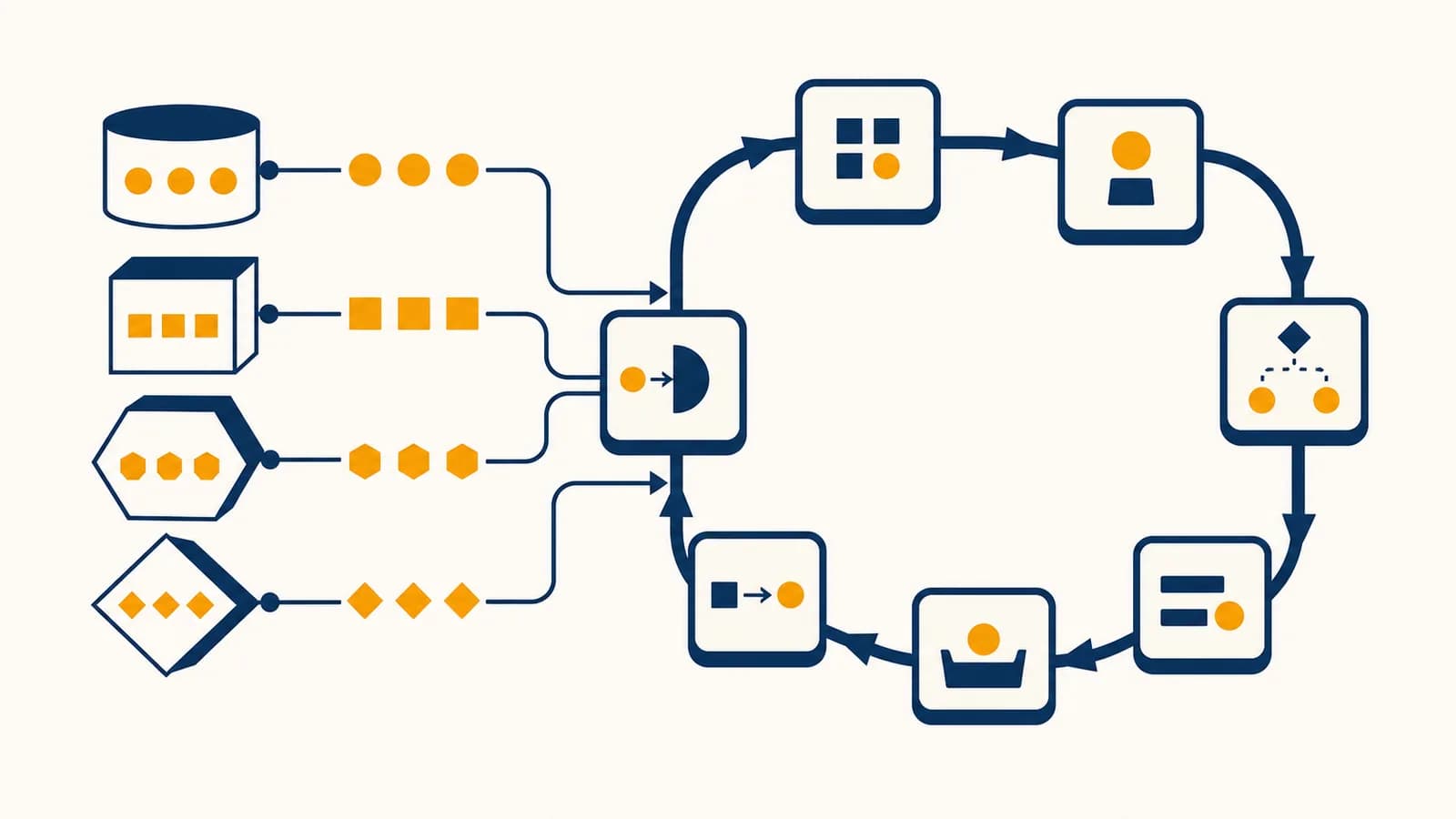
Programming fundamentals are a set of concepts that control data and repeated actions, in the context of writing instructions for computers. Variables store values, loops repeat instructions, and machine-like thinking turns a vague goal into exact, ordered steps. People searching for programming basics, coding variables, for loops, while loops, or computational thinking are asking how those pieces let software remember, decide, and repeat. The ideas exist because a computer cannot infer missing steps: it needs data represented clearly and actions stated precisely.
These concepts sit near the foundation of Computer Science because they explain both what a program knows and what it does next. The syntax changes between Python, JavaScript, Java, and other languages, but the mechanism stays recognizable. Once you can trace values through a loop by hand, unfamiliar code becomes far less mysterious.
What a variable actually is
A variable is a named place through which a program can access a value. The name lets later instructions refer to data without repeating the literal value, while assignment connects that name to its current value during a particular program run.
Consider a checkout program. It might store the number of items under quantity, the price of one item under unit_price, and the result under total:
quantity = 4
unit_price = 3
total = quantity * unit_price
After these instructions run, total has the value 12. The names are useful because the same instructions still work if the shopper buys 7 items or the price changes to 5. The program describes a relationship instead of one fixed answer.
This common model suggests that a variable is a permanent container with one object sitting inside it.
A better general model is that a name currently refers to a value. Reassignment can make the name refer to a different value later.
The second model travels better across languages. Some languages place values directly in memory slots. Others make variables refer to objects stored elsewhere. In both cases, a programmer uses a name to retrieve or replace data without needing to know its physical memory address.
A value has a type
A data type describes the kind of value and the operations that make sense for it. The integer 12, the decimal 12.5, the text "12", and the Boolean value true may look related to a person, but a computer treats them differently. Adding 1 to an integer can produce 13. Joining 1 to the text "12" may produce "121", depending on the language.
423.5"Ada"falseTypes prevent meaningless operations and determine how data is represented. A date, an image, and a bank balance eventually become patterns of bits, but the program's type rules give those patterns an interpretation.
How variables work
Variables work through declaration, assignment, reading, and reassignment. A program creates or recognizes a name, evaluates the expression on the right side of an assignment, stores or connects the resulting value, then retrieves that value whenever later instructions use the name.
In score = score + 10, the target on the left is score.
If score currently holds 20, the use of score on the right evaluates to 20.
The computer calculates 20 + 10, producing 30.
The name score is updated, so its current value is now 30.
This explains why assignment is not the same as an algebraic equation. In algebra, has no solution because subtracting from both sides gives . In code, the statement is an instruction to replace an old state with a new state.
If the old score is 20, the new score is .
The order of instructions therefore matters. If a program calculates a final price before applying a discount, it gets a different result than a program that first changes the price and then calculates tax. A program has state, meaning the collection of values that exist at one moment. Each assignment may create the next state.
What a loop actually is
A loop is a control structure that repeats a block of instructions according to a rule. It may process every item in a collection, repeat while a condition remains true, or count through a defined range without copying the same code many times.
Suppose a teacher has five quiz scores and wants their total. Writing five separate addition statements works, but it ties the program to exactly five scores. A loop expresses the general operation:
scores = [8, 7, 10, 6, 9]
total = 0

for score in scores:
    total = total + score
The loop takes one score at a time. The variable score changes on each pass, while total carries information forward. After the five passes, the visible arithmetic is . The same loop also works for two scores or two thousand, as long as the collection fits the program's resource limits.
Each pass through the body is called an iteration. The changing total is often called an accumulator because it accumulates a result over time. Other loops build a list, search for a match, count events, or update a simulation.
For loops follow a source of values
A for loop takes values from a collection, range, stream, or other iterable source. It is a strong choice when the program knows what group it must traverse. The source controls which value comes next, and the loop ends when no value remains.
While loops follow a condition
A while loop repeats while its condition evaluates to true. It is a strong choice when the number of passes is not known in advance, such as accepting password attempts until one succeeds or reading network data until a connection closes.
A while loop must make progress toward stopping. If its condition stays true forever, the program keeps repeating unless an external event, explicit exit, error, or shutdown interrupts it.
A loop that never ends is not always a bug. A web server can intentionally wait for requests for as long as it runs. The important distinction is whether continued repetition matches the program's design and whether the loop still yields time or control to other work.
How a loop works step by step
A loop works by initializing state, checking or obtaining the next value, running its body, updating state, and returning to the control point. It stops when its condition fails, its input is exhausted, or an instruction exits the loop early.
Trace this countdown rather than trying to understand it all at once:
count = 3

while count > 0:
    print(count)
    count -= 1

print("Go")| Condition check | Current count | Printed | Update |
|---|---|---|---|
3 > 0 is true | 3 | 3 | count becomes 2 |
2 > 0 is true | 2 | 2 | count becomes 1 |
1 > 0 is true | 1 | 1 | count becomes 0 |
0 > 0 is false | 0 | Nothing | Loop ends |
Only then does the final print instruction run, producing Go. This table is a trace. Making one is among the fastest ways to explain a loop, locate an unexpected value, or prove how many times a body runs.
Loops also have a cost. If a body takes roughly the same amount of work for each item, processing items takes work proportional to . Computer scientists describe that growth as . A loop inside another loop can perform body executions when both ranges have size , producing growth.
A 4 by 5 grid requires visits if one iteration handles each cell.
This does not mean nested loops are automatically bad. Drawing a grid genuinely requires touching its cells. The formula lets you predict how input size affects work before a large input makes the delay obvious.
Loops versus conditionals
A conditional chooses whether a block runs, while a loop controls repeated execution. Both test logical conditions, but an if statement normally makes one choice at its position in the program, whereas a while loop returns and tests again.
if checks onceIf a ticket holder is under 18, apply the youth rule, then continue after the conditional.
while checks repeatedlyWhile seats remain and buyers are waiting, sell the next ticket, update the count, then check again.
A conditional inside a loop makes a decision for every iteration. A photo program might visit every pixel and change only those brighter than a threshold. A loop inside a conditional instead repeats an activity only if an earlier test permits it. Indentation or braces show which instructions belong to which structure.
for temperature in readings:
    if temperature > 30:
        hot_count = hot_count + 1
For readings of 24, 31, 29, and 35, the loop runs four times, but the assignment runs twice. The final hot_count is 2 if it started at 0. Separating those two counts prevents a common mistake: confusing visits with successful matches.
How variables and loops create changing state
Variables and loops work together by carrying state between iterations. The loop supplies repetition, while selected variables preserve counts, totals, positions, or previous results. Correct code defines an initial state, a valid update, and a stopping rule that produces the intended final state.
A search loop shows all three jobs. Imagine looking for the first negative number in a list:
numbers = [7, 4, 0, -3, 8]
position = 0
found = false

while position < length(numbers) and not found:
    if numbers[position] < 0:
        found = true
    else:
        position = position + 1
The initial state says the search begins at position 0 and has not found a match. Each unsuccessful pass advances position. A successful pass changes found. The compound condition protects two facts: the position must still be inside the list, and the search must still need an answer.
A warehouse scanner receives package codes one by one. A variable stores how many valid packages have passed. A loop processes each scan, and a conditional sends a damaged or unknown code to manual review. The software must update the count only after validation, or the inventory record drifts away from the physical stock.
Programmers often state a property that should remain true before and after every iteration. This is a loop invariant. For the quiz total, an invariant is: before each new score is processed, total equals the sum of all scores already processed. It is true before the first pass because no scores have been processed and the total is 0. The update keeps it true by adding exactly the next score. When the loop ends, all scores have been processed, so the invariant explains why the answer is correct.
That habit is the practical meaning of thinking like a machine. Ignore the intention for a moment. Read the exact current values, perform the next instruction allowed by the control flow, record the result, and repeat. Intention helps design the program, but execution follows written instructions.
How programming fundamentals show up in real software
Variables and loops appear wherever software tracks changing facts or applies one operation to many inputs. They handle account totals, game positions, sensor readings, page elements, search results, scientific measurements, and routine tasks that would otherwise require repeated manual work.
Games update a world one frame at a time
A game stores player position, health, score, velocity, and current animation as variables. Its main loop reads input, updates the world, resolves interactions, and draws a new frame. If the position update uses velocity, a simplified relation is . A collision conditional may then prevent the player from passing through a wall.
Web pages repeat over collections
A shopping site can receive a collection of products and loop over it to create one card per product. Variables hold each product's name, price, and stock state. Browser interactions are often written in the web language used for page behavior, where the same fundamentals respond to clicks, validate forms, and update visible content.
Data work turns records into answers
A public health analyst may loop through laboratory records, skip invalid entries, group valid ones by region, and update counts. A finance program may visit transactions, add deposits, subtract withdrawals, and flag entries that break a rule. In both cases, the program needs explicit definitions for missing data, duplicate records, and rounding. The loop only automates the stated policy.
Automation repeats a reliable procedure
A script can rename files, resize images, test website addresses, or convert rows in a spreadsheet. Python for readable automation and data work gives beginners a relatively direct syntax for these tasks. The useful skill is not memorizing the spelling of one loop. It is identifying the collection, the per-item action, the changing state, and the failure cases.
Automation repeats mistakes too. Test a loop on a small, reversible sample before letting it rename files, send messages, alter records, or charge accounts at full scale.
Production programs add checks around the fundamentals. They validate inputs, record failures, limit retries, and protect shared data from conflicting updates. Those safeguards are larger structures built from the same variables, conditions, functions, and loops.
5 mistakes people make with variables and loops
Most early programming errors come from an incorrect initial value, a boundary mistake, an update that never happens, confusion about variable lifetime, or an untested assumption about type. Each error becomes easier to find when you trace the smallest input that exposes it.
1. Starting an accumulator with the wrong value
A sum normally starts at 0 because adding 0 changes nothing. A product normally starts at 1 because multiplying by 1 changes nothing. Starting a product at 0 makes every later result 0. For minimum and maximum searches, using 0 can also fail if every real value lies on the other side of 0. A safer pattern is to initialize from the first actual item, then process the remaining items.
2. Missing the boundary by one
An off-by-one error performs one extra iteration or one too few. In many languages, a list of length 5 has positions 0 through 4. The condition position < 5 permits those five positions. The condition position <= 5 also permits position 5, which lies outside the list.
Test empty, one-item, and last-item cases. These small inputs expose many boundary errors faster than a long, realistic dataset does.
Intervals deserve explicit wording. “Repeat five times” differs from “visit numbers 0 through 5,” which names six integers. Write down the first allowed value, the last allowed value, and the condition that excludes the next one.
3. Forgetting to change the loop condition
In while balance > 0, something in the loop must usually reduce balance or otherwise make the condition false. If the update sits inside a branch that never runs, the loop can stall even though an update appears in the code. Trace the path actually taken, not the path you hoped would run.
4. Reusing a name for two meanings
A variable called count should not mean item count in one line and retry count in the next. Reuse hides state changes and makes later edits risky. Specific names such as valid_item_count and retry_count expose the distinction. Short names such as i are acceptable for a tiny index loop, but they lose clarity when the surrounding logic grows.
5. Trusting output without tracing the cause
A plausible answer can still come from incorrect code. Two errors may cancel for one test input. Use cases with known answers and inspect intermediate state. The habits taught in systematic debugging and fault isolation turn “it does not work” into a smaller claim such as “the total becomes wrong on the third iteration.”
What variable scope actually controls
Variable scope controls where a name can be used in source code, while lifetime controls how long its value remains available during execution. A name created inside a function or block may be invisible outside it, even while another variable has the same spelling elsewhere.
Scope prevents unrelated parts of a program from accidentally sharing every name. A function can use a local variable called total without replacing a different total in another function. Rules differ among languages: some create a new scope for every brace-delimited block, while others mainly create scope around functions and modules.
function add_tax(price):
    total = price * 1.20
    return total

final_price = add_tax(50)
Here, price and total belong to the function call. The returned value is assigned to final_price outside. The visible calculation gives . Trying to use the local total outside the function should fail or refer to a different name, depending on the language.
Global variables are accessible across a wider part of a program. They can be appropriate for fixed configuration or intentionally shared state, but frequent reassignment makes cause and effect harder to track. Passing data into a function and returning a result usually makes the flow more visible.
How data types affect variable behavior
Data types affect which values a variable may hold, which operations are allowed, and how the computer represents the result. Some languages check types before execution, while others check during execution, but every running program ultimately operates on typed representations.
Type rules explain several surprises. Decimal arithmetic may use a finite binary approximation, so some base-ten fractions cannot be represented exactly. Integer storage may have fixed limits in one language, while another language expands integers as needed until memory becomes the limit. Text comparison may depend on character encoding and case rules.
The language converts a value automatically, perhaps turning an integer into a decimal during mixed arithmetic.
The programmer requests a conversion, such as parsing the text "42" into the integer 42.
Conversion can fail. The text "forty-two" is meaningful to a person but is not normally accepted by a basic integer parser. Good programs decide what to do with invalid input instead of assuming every conversion succeeds.
Mutable values add another distinction. If two variables refer to the same mutable list, changing the list through one name may make the change visible through the other. Copying the reference is not the same as copying all the contents. This matters in loops that edit collections while traversing them, because removal can shift positions and cause items to be skipped.
How a computer knows when a loop should stop
A computer stops a loop only when the loop's defined exit rule is reached. The rule may be a false condition, exhausted iterator, break instruction, returned result, raised error, cancellation signal, or termination of the whole program.
A stopping argument should identify a quantity that moves toward a limit. In the countdown, count decreases by 1 and the loop requires it to remain above 0. If it starts as a nonnegative integer, it must eventually reach 0. In a collection loop, the iterator consumes one remaining item each time, so a finite collection is eventually exhausted.
A login system may repeat while the password is wrong and attempts remain. One variable records the attempt count, a conditional checks the submitted credential, and the exit rule covers success or exhaustion. A separate time limit or rate limit can prevent automated attempts from running without practical restraint.
Some stopping questions cannot be answered by merely running the program for longer. Computer science proves that no single algorithm can inspect every possible program and input and always decide whether that program will halt. This is the halting problem. It does not prevent programmers from proving termination for specific loops. It shows that a perfect universal loop checker cannot exist.
In everyday work, set upper bounds where failure would be expensive. Network retries can stop after a configured count. A search can stop after all candidates are checked. An interactive application can keep its main event loop alive by design while still limiting each individual task.
Thinking like a machine makes computer science testable
Thinking like a machine means translating intentions into represented data, explicit operations, precise branches, and traceable state changes. It connects programming fundamentals to algorithms, software design, hardware, data science, and every other area where computation must produce a repeatable result.
Take any small routine you perform, such as finding the cheapest item on a menu. Identify the inputs. Choose a variable for the best price seen so far. Visit each item with a loop. Compare its price with the stored best price. Update only when the new price is lower. State what should happen for an empty menu and for two items with equal prices. You have turned an informal action into an algorithm.
The takeaway: A variable gives a program a named piece of state, a loop changes or uses that state repeatedly, and a trace proves what each instruction actually does. Start with a tiny input, write down every value after each pass, and let the machine's exact behavior correct your assumptions.
Once that trace is accurate, improve the program: choose clearer names, define boundaries, test unusual inputs, and estimate how the work grows. Those habits transfer across languages because syntax is only the written surface. The deeper skill is building instructions whose meaning remains exact when a computer repeats them at speed.