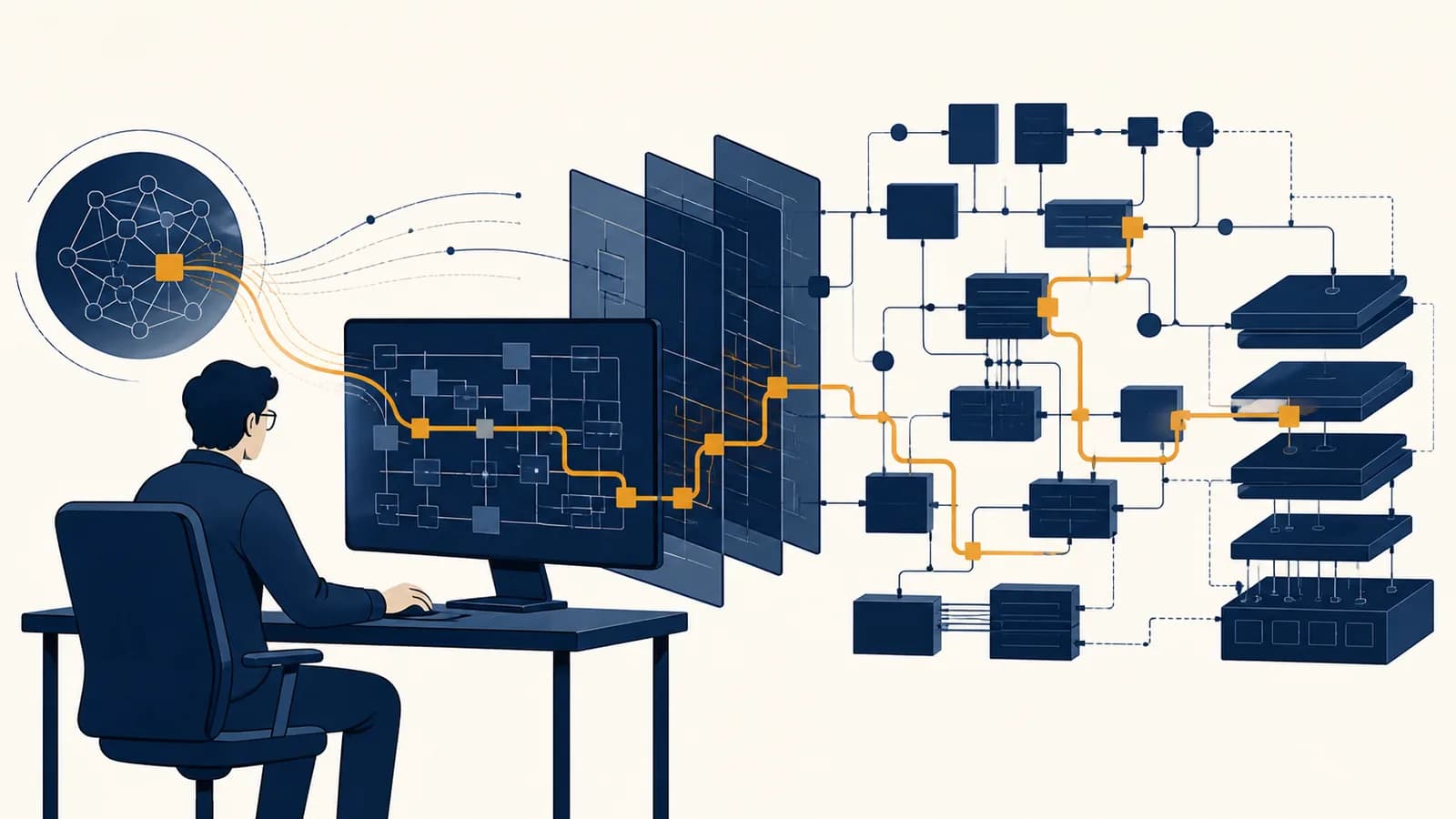
AI for legacy codebases is a software maintenance method that uses artificial intelligence to explain, test, debug, and modify existing systems whose behavior may be poorly documented. Developers use AI coding tools on old code because understanding a mature system often takes longer than typing a change. Legacy code modernization with AI can speed up code comprehension and produce useful drafts, but the model does not know which behavior the business depends on. Its output must be checked against the repository, tests, runtime evidence, and people who understand the system.
What a legacy codebase actually is
A legacy codebase is an existing software system that remains useful but is difficult or risky to change. Age can contribute, yet the defining problem is not an old programming language. It is the gap between required behavior and safe understanding.
A five-year-old service with clear tests, current dependencies, and a team that understands it may be easy to maintain. A six-month-old application with no tests, copied code, missing setup instructions, and one departed author may already be legacy code. The label describes a maintenance condition.
Code written long ago. It may still be readable, tested, supported, and cheap to change.
Code whose important behavior is hard to verify or safely alter, regardless of its age.
Several kinds of uncertainty accumulate. A variable named adj might mean adjustment, adjacent record, or adjusted price. A function may look unused but be called by a template, a configuration file, or another program. A strange conditional may preserve a contract negotiated years ago. A database column called status might contain undocumented values created by an earlier release.
The code is only one part of the system. Build scripts, deployment settings, scheduled jobs, data formats, access rules, monitoring alerts, and operator habits can all define its real behavior. A model shown one file sees none of those automatically. That boundary is the central fact of using AI on legacy software.
What AI can actually do with old code
AI can transform supplied code and context into explanations, search plans, tests, patches, and review notes. It is especially useful for reducing the cost of a first reading, but its response is a proposal rather than evidence that the system works.
A coding model predicts useful text based on its training and the context it receives. That text can be source code, a diagram written in words, a database query, or an explanation of a call chain. Tools built around the model may also search files, run commands, inspect errors, and revise a patch. Those actions make the system more capable because each result adds evidence to the next request.
This loop is more useful than asking a chat window to rewrite a pasted function. A repository search can reveal every caller. A test command can disprove an assumption. A type checker can expose an invented field. A version-control diff can show that an edit touched more files than requested. The surrounding tools turn guesses into claims that can be tested.
Different tasks need different amounts of context. Explaining a pure sorting function may require one file. Changing an invoice total may require the function, its callers, tax rules, rounding rules, database schema, tests, and sample outputs. A practical introduction to how AI coding tools read and edit projects helps separate the language model from the search and execution tools wrapped around it.
Fluent output is not runtime evidence. A model can describe an invented function with the same confidence it uses for a real one. Confirm names, paths, types, and behavior in the repository.
How AI builds a working map of an unfamiliar system
AI maps an unfamiliar codebase by collecting small, checkable facts about structure, entry points, data flow, dependencies, and tests. The useful result is not a grand summary. It is a traceable model of where a specific behavior enters and changes.
Suppose a support ticket says, “Cancelled orders still receive shipment emails.” A weak starting request is “find and fix the bug.” A stronger investigation begins with nouns and observable events: cancelled order, shipment email, cancellation endpoint, order status, and message queue. Each term becomes a search target.
Identify languages, package manifests, executable services, test directories, migrations, configuration files, and generated code. This establishes the system boundary.
Locate the HTTP route, command, scheduled job, user interface event, or queue consumer that begins the behavior under study.
Follow function calls, imports, database reads, writes, and messages. Record file paths and symbols so every claim can be reopened.
Locate tests, type checks, linters, build commands, and a safe reproduction path. These decide which explanations survive contact with the system.
List unknown callers, external services, missing fixtures, and rules that appear only in comments or tickets. An honest map includes blank areas.
For the cancelled-order bug, the trace might show that an API handler writes CANCELLED to the database, while a shipment worker processes an older OrderShipped message already waiting in a queue. The visible status check in the API is not enough. The worker must either recheck current state or receive a cancellation event that invalidates pending work.
A good map attaches evidence to every edge: “route in cancel.ts calls cancelOrder,” “repository method updates orders.status,” and “worker reads the shipment event without reloading the order.” This is ordinary program analysis assisted by fast search and summarization. The evidence remains in source files and command output.
How a safe AI-assisted change works
A safe AI-assisted change moves from observed behavior to a narrow patch through tests and review. The developer first fixes the boundary of the task, then asks the model to investigate, write a failing check, propose the smallest edit, and verify it.
Consider a billing program that grants free shipping when an order subtotal is at least 50 currency units. A bug report says an order displayed as 50.00 was charged shipping. The model notices that the stored subtotal is 49.995, while the display rounds to two decimal places. Three possible fixes exist: compare the raw value, compare a rounded value, or store money as integer minor units. Only the product rule can decide which behavior is correct.
Worked example: , if the chosen rounding rule rounds the half upward.
The arithmetic is easy; the contract is hard. Some languages and libraries use a different tie-breaking rule, and floating-point values may not represent a decimal exactly. Existing invoices may also depend on the old calculation. The safe request names the expected examples, the approved rounding policy, the files in scope, and the command that must pass.
“Trace how checkout calculates the free-shipping threshold. Add a test showing the approved behavior for 49.994, 49.995, and 50.000. Do not change invoice history or unrelated discount code. Propose the smallest patch, run the checkout test suite, and report any assumptions.”
The model may produce the test before the implementation. That ordering matters. A failing test demonstrates that the current system exhibits the reported behavior. After the patch, the same test provides evidence that the chosen behavior changed. Existing tests check for accidental damage nearby.
The final diff should remain small enough for a human to explain. If a threshold fix also renames modules, upgrades dependencies, and reformats hundreds of lines, separate those changes. A narrow patch makes cause and effect visible, reduces merge conflicts, and is easier to reverse.
AI assistance versus automatic code modernization
AI assistance proposes changes using code and natural-language context, while automatic modernization applies predefined transformations with known matching rules. AI handles ambiguous local meaning better; deterministic tools offer more predictable repetition when the required transformation is already specified.
A codemod can replace a deprecated function call across thousands of files using a syntax tree. A database migration tool can apply a numbered schema change. A formatter can rewrite spacing without interpreting business intent. These tools are limited, and that limitation is valuable: the same input follows the same explicit rule.
| Task | Best starting tool | Reason |
|---|---|---|
| Rename a typed API everywhere | Compiler-aware refactoring | Symbol references can be found precisely. |
| Replace a known syntax pattern | Codemod | The transformation can be encoded and repeated. |
| Explain an undocumented workflow | AI plus repository search | The task combines scattered clues and natural-language intent. |
| Discover why one edge case fails | Debugger, tests, and AI | Runtime evidence constrains the model's hypotheses. |
| Format a project | Formatter | Style rules do not need probabilistic interpretation. |
The tools work well together. AI can identify candidate uses of an obsolete library, explain unusual cases, and draft a codemod. Developers can test that codemod on representative files, inspect its output, then run it broadly. The repeatable tool performs the large edit; the model helps design and review it.
Rewriting an entire application from a prose prompt removes many of the clues that keep behavior stable. Incremental replacement preserves working paths while new pieces are compared against them. A clean rewrite may still be the right business decision, but AI does not erase the need to inventory behaviors, migrate data, and operate both systems during the transition.
How AI shows up in software maintenance jobs
AI appears in maintenance work as a fast research and drafting partner inside issue triage, incident response, code review, testing, migration, documentation, and onboarding. Its value comes from shortening feedback loops while engineers retain responsibility for production behavior.
Issue triage turns vague reports into testable claims
Issue triage converts a symptom into a bounded investigation. An engineer can ask AI to extract actors, inputs, expected results, actual results, and missing facts from a ticket. The output becomes a checklist for reproduction, not a diagnosis by itself.
For “reports sometimes show the wrong date,” useful branches include time zone conversion, locale formatting, stale cache entries, and database types. The next step is to collect an affected record and trace it. Guessing a time zone bug without evidence would simply make the uncertainty sound technical.
Incident response favors observation over editing
Incident response restores a failing service while preserving evidence about the failure. AI can summarize logs, compare recent diffs, and suggest queries, but an unreviewed production edit can enlarge the incident. Read-only diagnosis and reversible mitigations usually come first.
A model might connect a burst of timeout errors to a new retry loop. Engineers still verify timestamps, request identifiers, deployment history, and service metrics. Sensitive logs also require care because prompts may leave the protected environment if the approved tool is not configured for that data.
Migration work needs inventories and checkpoints
A migration replaces a dependency, platform, data shape, or subsystem while preserving required behavior. AI can locate usage patterns, classify difficult cases, draft adapters, and generate candidate tests. Checkpoints let the team compare old and new results before removing the old path.
For a library upgrade, the inventory might group calls into direct uses, wrappers, dynamic imports, and generated files. Each group needs a different treatment. The difficult cases deserve manual review before a broad scripted edit begins.
These practices are extensions of basic software ideas: decomposition, invariants, interfaces, state, and evidence. The broader computer science subject guides connect those ideas to algorithms, data, networks, and the systems that maintenance work depends on.
4 mistakes people make with AI and legacy code
The most damaging mistakes are giving the model too little system context, accepting plausible output as fact, changing too much at once, and treating passing tests as complete proof. Each mistake hides uncertainty instead of turning it into a check.
1. Pasting one function and asking for the fix
A function rarely contains its full contract. Callers may pass sentinel values, configuration may alter branches, and a database may contain states absent from the type definition. Ask first for callers, tests, schemas, and runtime paths related to the reported behavior.
“Clean up this function and fix any bugs.”
“Explain this function's callers and invariants. Identify uncertain claims. Reproduce issue 214 with a test before proposing a minimal change.”
2. Trusting citations that only look like code
A response may mention a file that does not exist or a method that belongs to another library version. Open every cited symbol. Search for its definition and callers. If the tool can run commands, require it to show the command and summarize the actual result.
Techniques for checking generated patches against runtime evidence apply even when most of the patch was copied from existing code. Origin does not guarantee correctness.
3. Mixing behavior changes with cleanup
A mixed patch makes review harder because a meaningful branch change can hide among renamed variables and reformatted files. Ask for one behavior change at a time. Save cleanup for a separate commit after the behavioral test passes.
4. Treating a green test suite as a proof of correctness
Tests prove only that the checked examples met their assertions in that environment. They may omit permissions, concurrency, time zones, production data shapes, failure recovery, and external integrations. Review what the suite does not cover before deciding that a patch is ready.
A useful review question: What observation would prove this patch wrong? If nobody can name one, the team may not have stated the intended behavior clearly enough.
How tests become a safety boundary for AI edits
Tests create a safety boundary by expressing selected behaviors as executable checks before and after an AI edit. They do not make the model trustworthy. They make some wrong changes visible, repeatably, at a cost low enough to run often.
Different tests catch different failures. A unit test isolates a small calculation. An integration test checks components such as a service and database together. A contract test checks the shape of communication between systems. An end-to-end test follows a user-visible path. Static type checks catch incompatible structures without running the program.
Characterization tests are especially useful in legacy systems. They record what the program currently does, even when nobody is ready to claim that behavior is ideal. Suppose an old parser turns a blank quantity into zero. A characterization test preserves that observation. A later product decision can deliberately change it to an error, with a new test documenting the new contract.
Test generation needs review. Models tend to mirror the implementation, which can produce a test that repeats the same mistaken assumption. A stronger test starts from an external requirement or known example. It also checks the result, not just that the function returned without throwing an error.
Can AI understand a codebase that has no documentation?
AI can infer a partial description from source code, names, tests, schemas, version history, and runtime traces, but it cannot recover every missing requirement. It can explain what paths appear to do; it cannot prove why the organization needs them.
Source code contains operational facts. A conditional reveals a branch. A schema reveals stored fields. A test reveals at least one expected example. Commit history may reveal why a line changed, although old messages can also be vague or outdated. Production behavior supplies another layer through logs and traces.
Missing intent remains missing. A discount exception may come from a legal settlement, a supplier contract, or an obsolete campaign. None of that is guaranteed to appear in code. Mark inferred rules as hypotheses, attach file references, and ask a domain expert to confirm business meaning.
A short instruction file can tell an AI tool which commands are safe, where generated code lives, which architectural rules apply, and how tests are organized. Guidance on writing repository instructions for coding agents shows how to make those local facts explicit without pretending they are full documentation.
Can private legacy code be sent to an AI tool?
Private code can be used only under the organization's security, legal, and data-handling rules. The answer depends on the tool's deployment, retention settings, access controls, contracts, and the kinds of secrets or regulated data present in the supplied context.
Source repositories often contain more than source. Configuration files may include credentials. Fixtures may contain copied customer records. Comments can reveal internal hostnames. Logs can include personal data or session tokens. Removing obvious password files is not a complete review.
Do not paste secrets into a prompt. If a credential appears in model context, treat exposure according to the organization's incident process and rotate it when required. Deleting a chat does not substitute for containment.
Approved tools should follow least privilege. Give the agent access to the repositories, commands, and environments required for the task, not a broad production account. Keep sensitive execution inside controlled systems when policy requires it. Record model-assisted changes through the same version control and review process used for human edits.
Will AI replace the engineers who know the old system?
AI can reduce the time engineers spend searching and drafting, but it does not replace ownership of system behavior. Experienced maintainers supply business history, production judgment, and risk decisions that source text alone cannot reliably encode or reconstruct.
The productive division of work is concrete. The model scans repetitive patterns, drafts explanations, proposes tests, and lists possible failure modes. A maintainer identifies the real contract, chooses acceptable risk, checks evidence, and approves deployment. New team members can use AI to ask many small code questions, then verify the answers and bring sharper questions to experienced colleagues.
This can also preserve knowledge if the output is turned into durable artifacts. A confirmed call map, a characterization test, a runbook update, or a comment explaining an odd constraint remains useful after the conversation disappears. An unverified chat summary does not.
AI makes legacy work more scientific when every claim stays testable
AI improves legacy maintenance when it helps turn uncertainty into hypotheses, traces, tests, and small reversible changes. The lasting skill is not prompting for confident answers. It is building a chain of evidence that another person can inspect and repeat.
Start with one real behavior. Name its input and expected output. Trace the entry point, data changes, and external effects. Ask AI to expose unknowns and cite files. Add the smallest check that can fail for the right reason. Then review the diff and run the relevant commands yourself.
The takeaway: Treat AI as a fast hypothesis generator inside the normal discipline of computer science. Repository evidence, executable tests, narrow interfaces, and human responsibility are what make a legacy change safe enough to ship.
The next time a strange branch looks pointless, resist deleting it on sight. Find its callers, reconstruct the state it handles, and write down what would change if it vanished. That small investigation practices the central habit behind algorithms, debugging, software design, and reliable maintenance: make the system's behavior observable before you alter it.